
Table statuses
Track which tables are free, occupied, reserved or being cleaned, with one tap per table.
Who can do thisOwnerManagerStaff
Every table has one of four statuses. The button on each table card moves it to the next one.
| Status | Card shows | Button | Moves to |
|---|---|---|---|
| Free | Ready | Seat guests | Occupied |
| Occupied | Seated 15 min, and the order number if there is a live dine-in order for the table | Clear table | Cleaning |
| Cleaning | Needs reset before seating | Mark ready | Free |
| Reserved | The time, guest name and party size | Seat guests | Occupied |
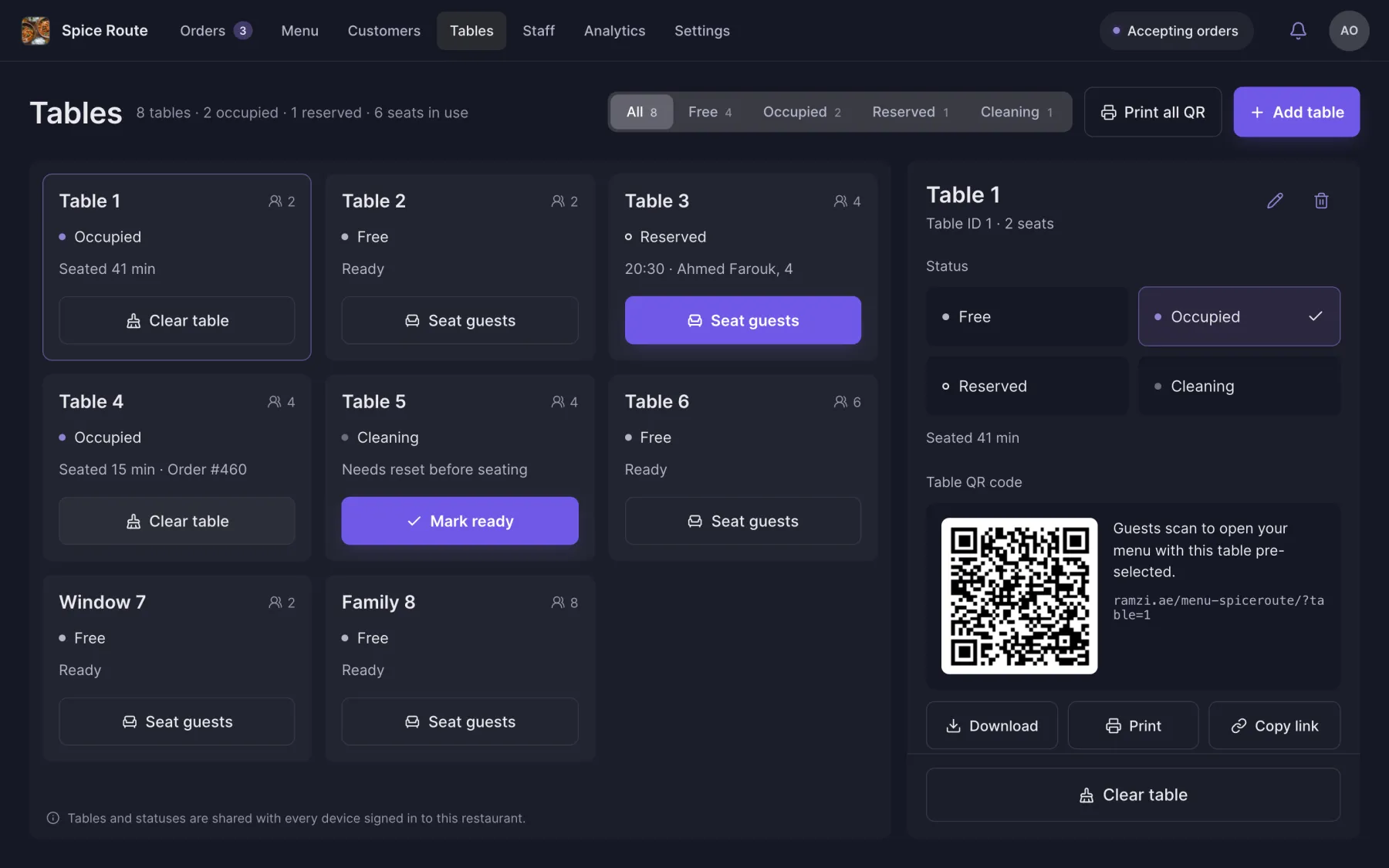
#A typical table
- Guests arrive. Click Seat guests. The table turns Occupied and starts a timer.
- They scan the QR code and order. The order number appears on the table.
- They leave. Click Clear table. The table turns Cleaning.
- Once it is wiped and reset, click Mark ready. The table is Free again.
#Set any status directly
Click a table to open its details, then click Free, Occupied, Reserved or Cleaning under Status. Choosing Reserved asks for the reservation details. See Reservations.
#Filter the floor
Use the chips at the top (All, Free, Occupied, Reserved, Cleaning) to see only tables with that status. The number on each chip is how many tables have it.
Note
Statuses are shared with every device signed in to your restaurant. If two people change the same table at the same moment, the last change wins.