
Linked phones
Driver accounts are locked to one phone. Unlink it when a driver changes phones.
Who can do thisOwnerManager
To stop drivers sharing accounts, each driver account is linked to the first phone it signs in on. After that, the account only works on that phone.
#See which phone is linked
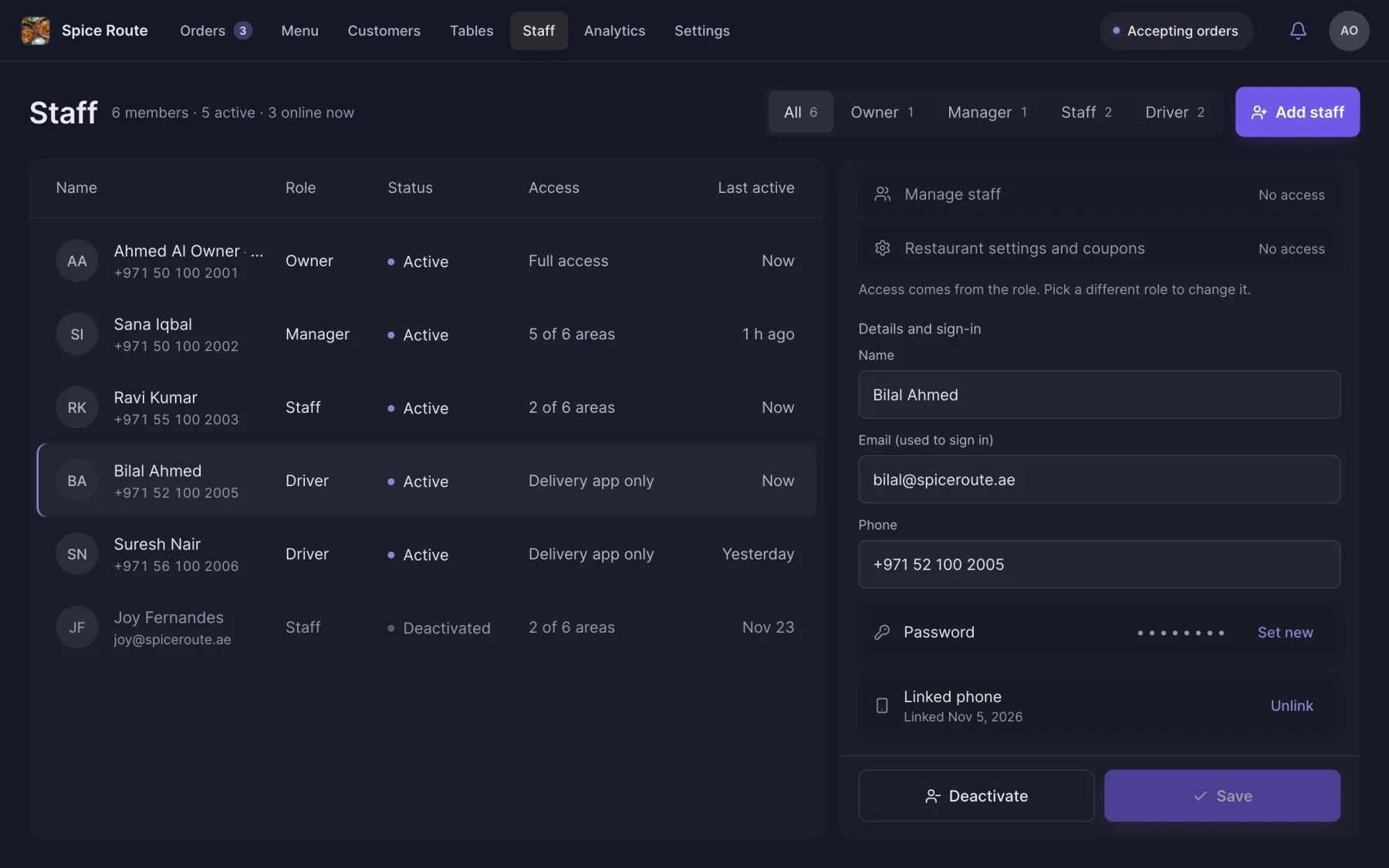
Go to Staff and click the driver. Under Details and sign-in:
- Linked phone · Linked [date] means a phone is linked.
- Not linked yet: links on their first sign-in means they haven't signed in yet.
#Unlink a phone
Do this when a driver gets a new phone, loses theirs, or reinstalls the app.
- Go to Staff and click the driver.
- Next to Linked phone, click Unlink.
- Confirm with Unlink phone.
- The driver signs in on their new phone. That phone becomes the linked one.
#The message drivers see
If a driver tries to sign in on a different phone, they see: This account is already linked to another phone. Ask your manager to reset the device binding before signing in here. Unlink the old phone, then ask them to try again.