
Dietary tags and allergens
Label items as halal, vegetarian, spicy and more, and list the allergens they contain.
Who can do thisOwnerManager
Tags help customers find what they can eat. They show on the item's page on your storefront.
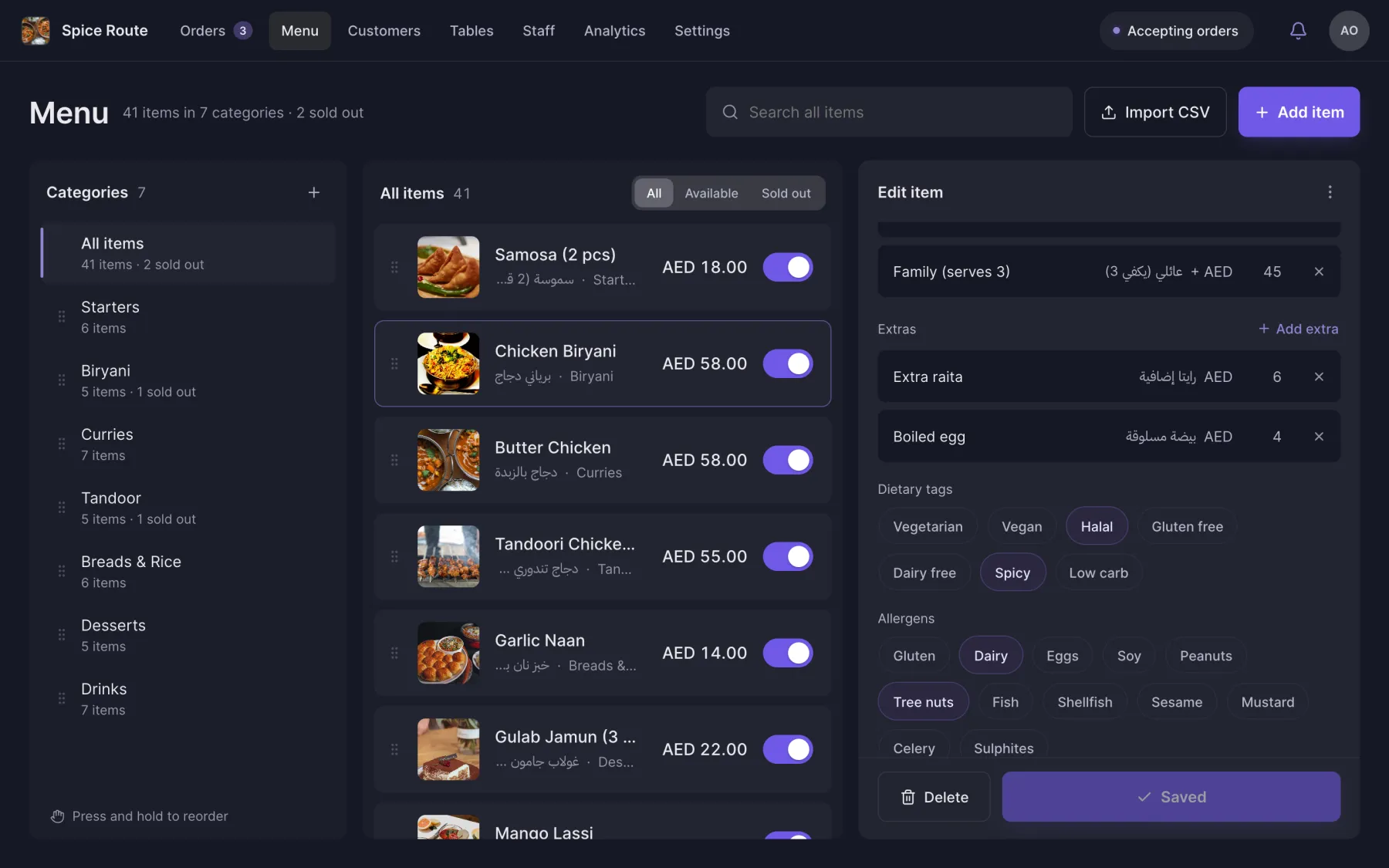
#Add tags to an item
- Open the item in the editor and scroll to Dietary tags.
- Click each tag that applies. Selected tags are highlighted.
- Under Allergens, click each allergen the item contains.
- Click Save changes.
Click a highlighted tag again to remove it.
#The tags
| Dietary tags | Allergens |
|---|---|
| Vegetarian, Vegan, Halal, Gluten free, Dairy free, Spicy, Low carb | Gluten, Dairy, Eggs, Soy, Peanuts, Tree nuts, Fish, Shellfish, Sesame, Mustard, Celery, Sulphites |
On the storefront, dietary tags show in green and allergens show as Contains: ….
Watch out
Customers rely on allergen labels. Check them with your kitchen whenever a recipe changes, and add a line to the description for anything not in the list.