
Reservations
Hold a table for a guest, with their name, time, party size and phone number, then seat them when they arrive.
Who can do thisOwnerManagerStaff
#Reserve a table
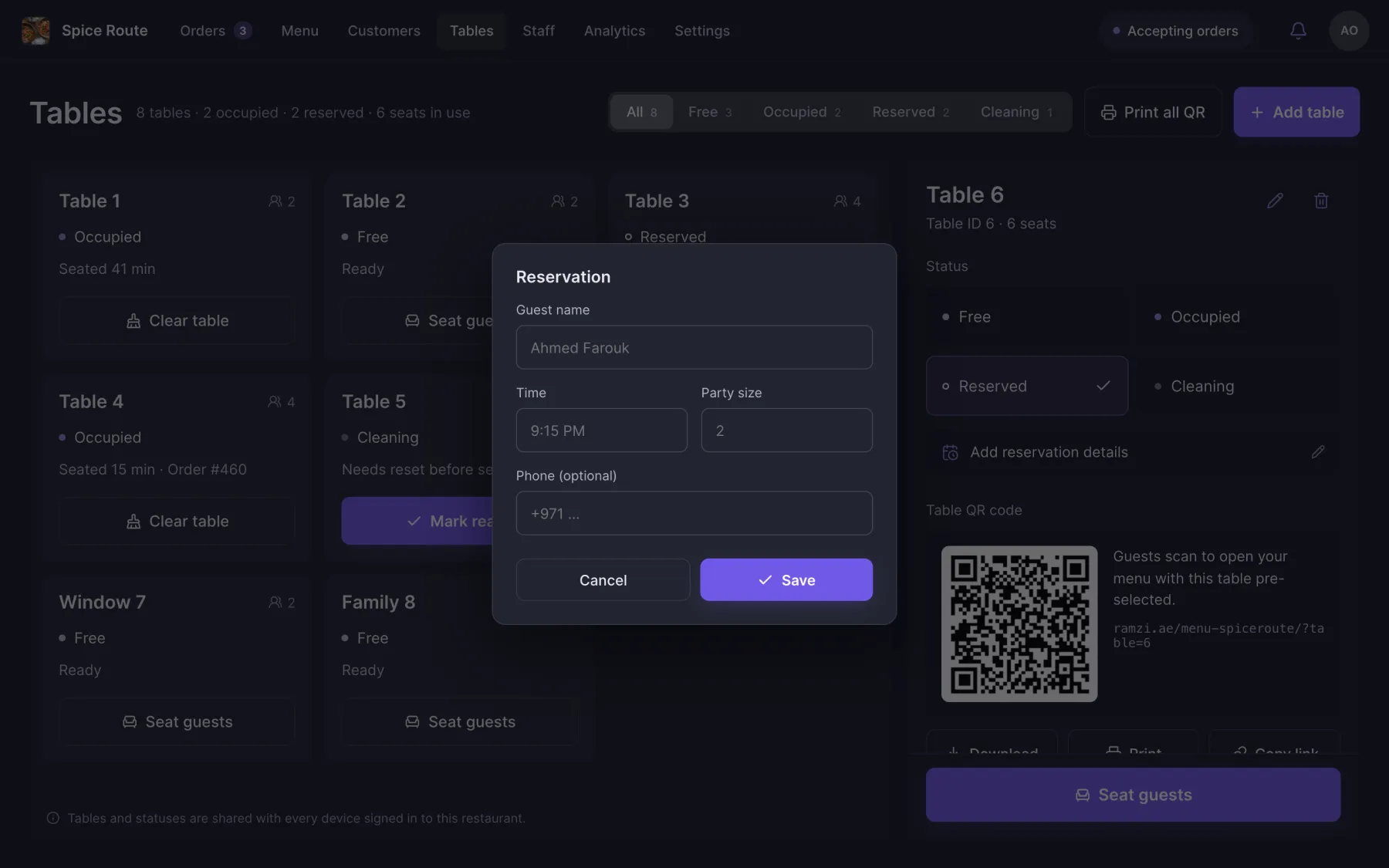
- Go to Tables and click the table you want to hold.
- Under Status, click Reserved.
- Fill in the Reservation details:
- Guest name
- Time
- Party size
- Phone (optional)
- Click Save.
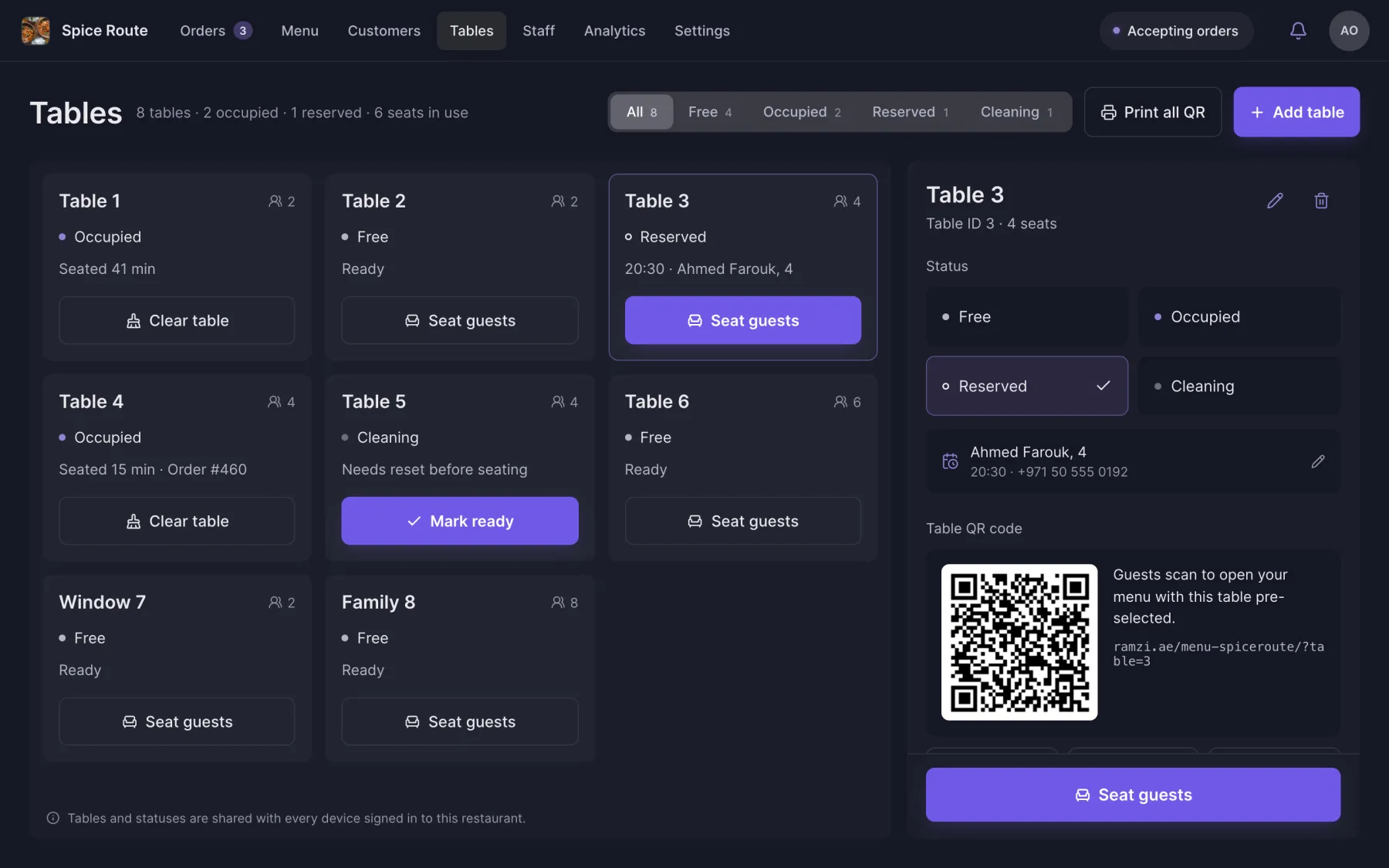
The table card now shows the time, name and party size, for example 20:30 · Ahmed Farouk, 4.
#Change a reservation
Click the table, then click the reservation details (or Add reservation details) in its panel and change them.
#When the guests arrive
Click Seat guests on the table card. The table turns Occupied and the reservation is cleared.
#Cancel a reservation
Click the table and set its status back to Free.
Tip
Reservations are for today's floor plan: one reservation per table at a time. Add reservations for later dates when the day comes.