
The customer list
Everyone who has ordered from you, built automatically from your orders. Sort, search and spot your regulars.
Who can do thisOwnerManager
You don't need to add customers. Every time someone places an order, Ramzi saves them by their phone number. If the same number orders again, the order is added to the same customer.
#The page header
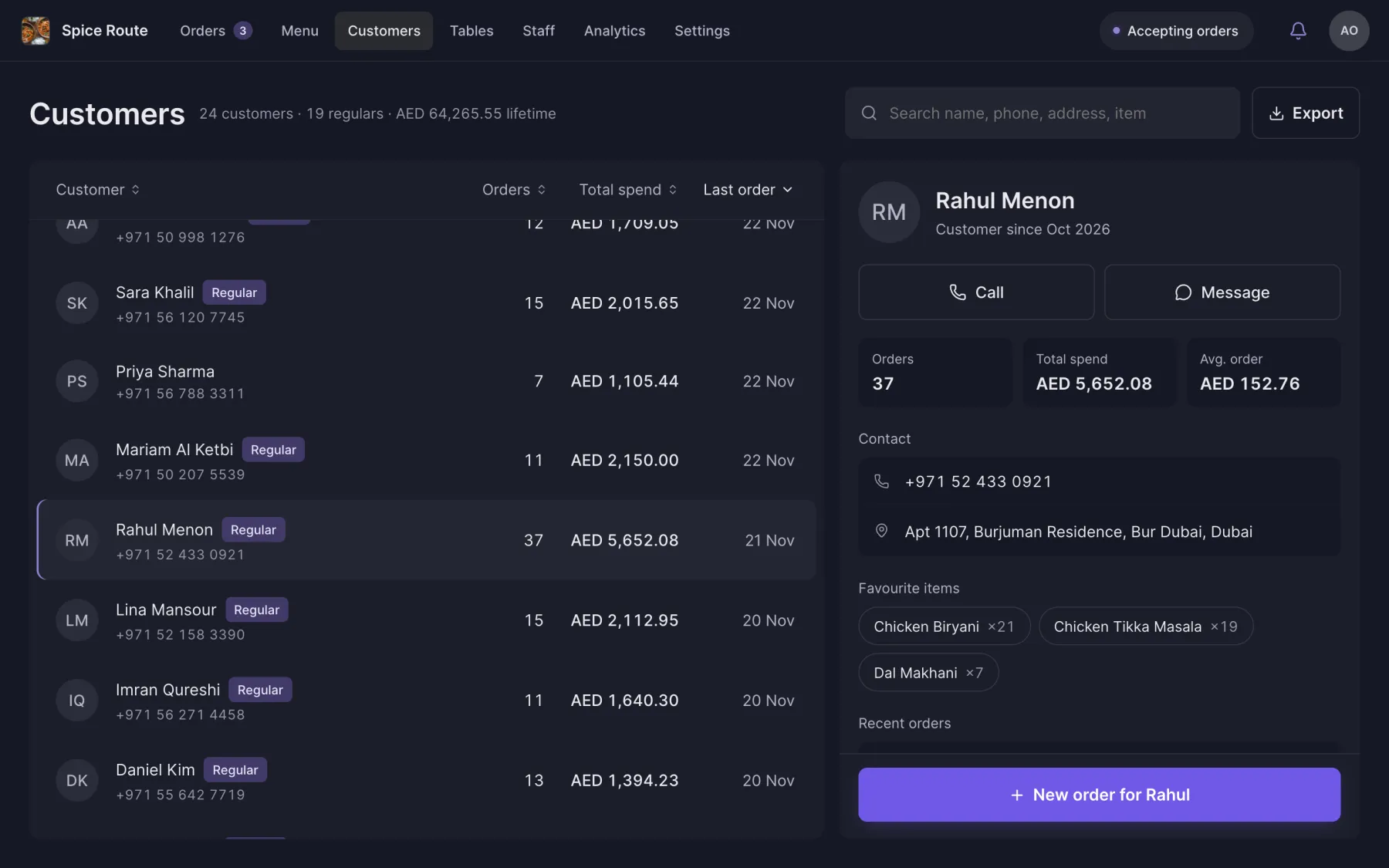
The summary under Customers shows how many customers you have, how many are regulars, and their lifetime spend: the total of all their orders, not counting cancelled ones.
#The list
| Column | What it shows |
|---|---|
| Customer | Name and phone number. A Regular badge marks customers with 10 or more orders. |
| Orders | How many orders they have placed, not counting cancelled ones. |
| Total spend | The total of those orders. |
| Last order | How long ago they last ordered. |
Click a column heading to sort by it. Click it again to reverse the order. The list starts with the most recent customers.
Click Show more at the bottom to load more customers.
#Search
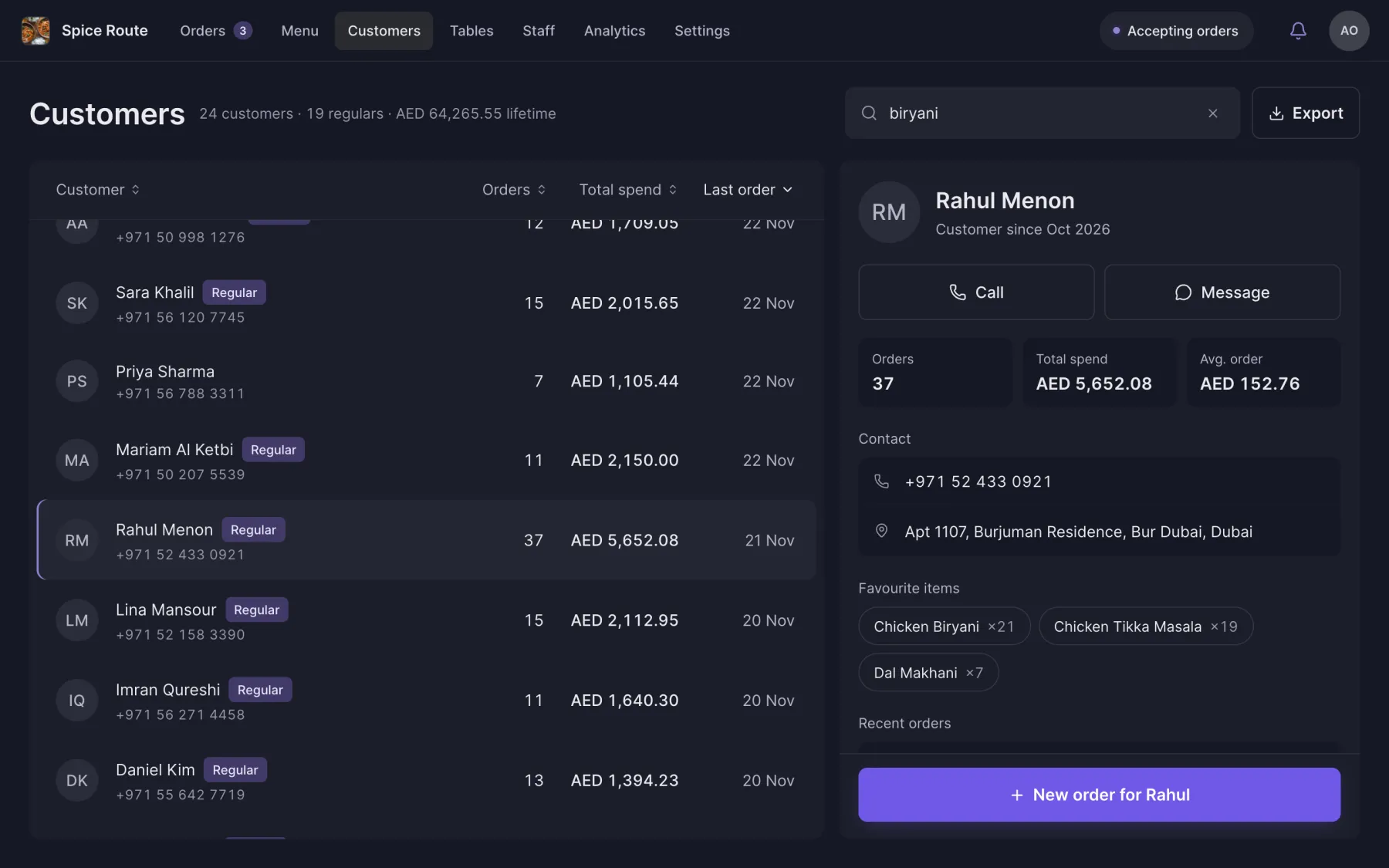
Type in Search name, phone, address, item. You can search by:
- Name or part of it.
- Phone number.
- Address, for example a building or area.
- An item they have ordered, for example biryani, to find everyone who likes it.
#Open a customer
Click a customer to see their profile on the right: contact details, totals, favourite items and recent orders. See A customer's profile.
Customers are matched by phone number. If someone orders with a different name on the same number, it is still one customer, shown under one of the names they used. Someone who orders from a new number appears as a new customer.
Staff can open the Customers page but see Owner and managers only. See Roles.