
A customer's profile
See what one customer orders, how much they spend, and every order they have placed.
Who can do thisOwnerManager
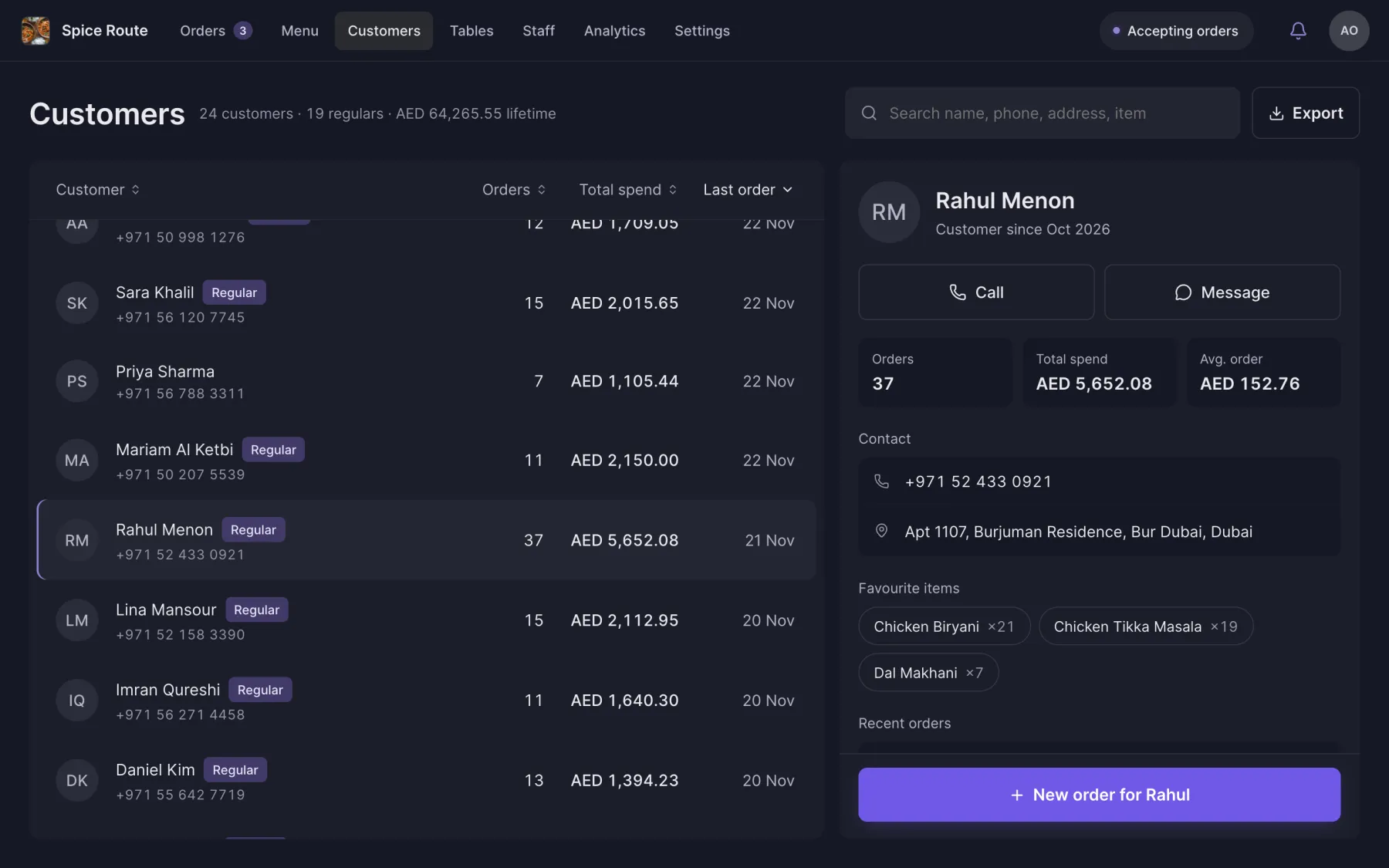
Click any customer on the Customers page to open their profile.
#What the profile shows
| Part | What it shows |
|---|---|
| Name and Customer since | When they first ordered from you. |
| Call and Message | Call them, or open a WhatsApp chat. See Call or message a customer. |
| Orders, Total spend, Avg. order | Their totals, not counting cancelled orders. |
| Contact | Their phone number and the address from their latest delivery order. |
| Favourite items | The items they order most, with how many times, for example Chicken Biryani ×2. |
| Recent orders | Their latest orders with items, date and total. Click one to open it on the Orders screen. |
| New order for [name] | Starts an order on your storefront with their details copied. See Start an order for a saved customer. |
#Ideas for using profiles
- Recognise regulars on the phone. Search their number and greet them by name.
- Suggest their favourite. "The usual Chicken Biryani?"
- Reward loyalty. Send regulars a coupon code on WhatsApp. See Coupons.
- Sort out a problem. Open the order they are calling about straight from Recent orders.