
Logo and cover image
Upload the logo and the large cover photo that appear at the top of your storefront.
Who can do thisOwner
Your logo appears in the storefront header and on your customers' home screen if they add your storefront there. Your cover image is the large photo at the top of your storefront's home page.
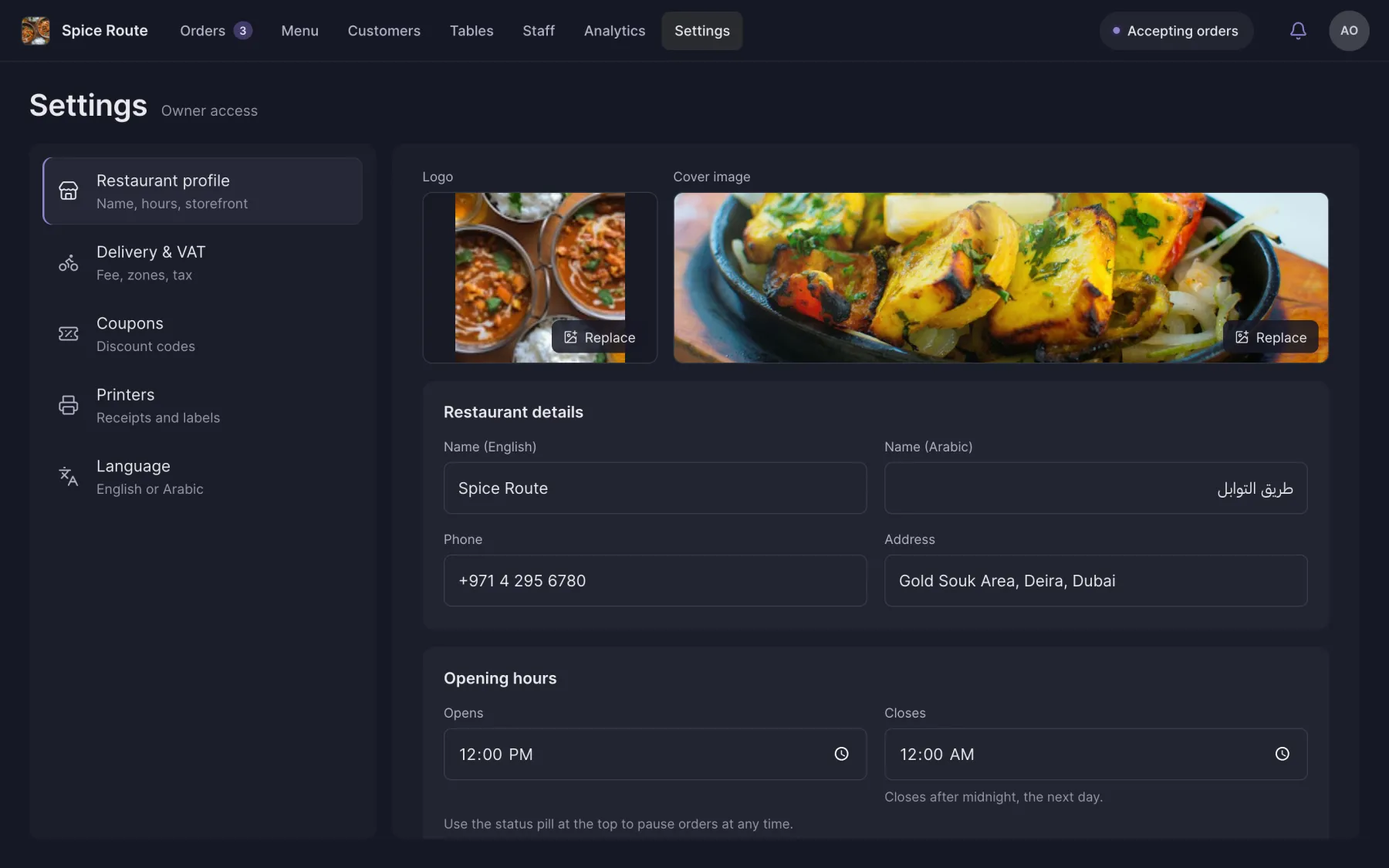
#Upload or replace them
- Go to Settings → Restaurant profile.
- Click Replace (or Upload logo / Upload cover) on the logo or cover box.
- Choose an image from your device.
- Wait for Uploading… to finish. You see Logo updated or Cover image updated.
Logo and cover uploads save straight away. You don't need to click Save changes.
#Image sizes
| Image | Best size | Tips |
|---|---|---|
| Logo | Square, at least 512 × 512 pixels | Use a simple version of your logo that is readable when small. |
| Cover | 1600 × 600 pixels (wide) | Use a bright photo of your best dish or your restaurant. Keep important details in the middle, because the edges are cropped on phones. Your restaurant name is shown over the bottom left. |