
Roles
The four roles (Owner, Manager, Staff and Driver) and exactly what each one can do.
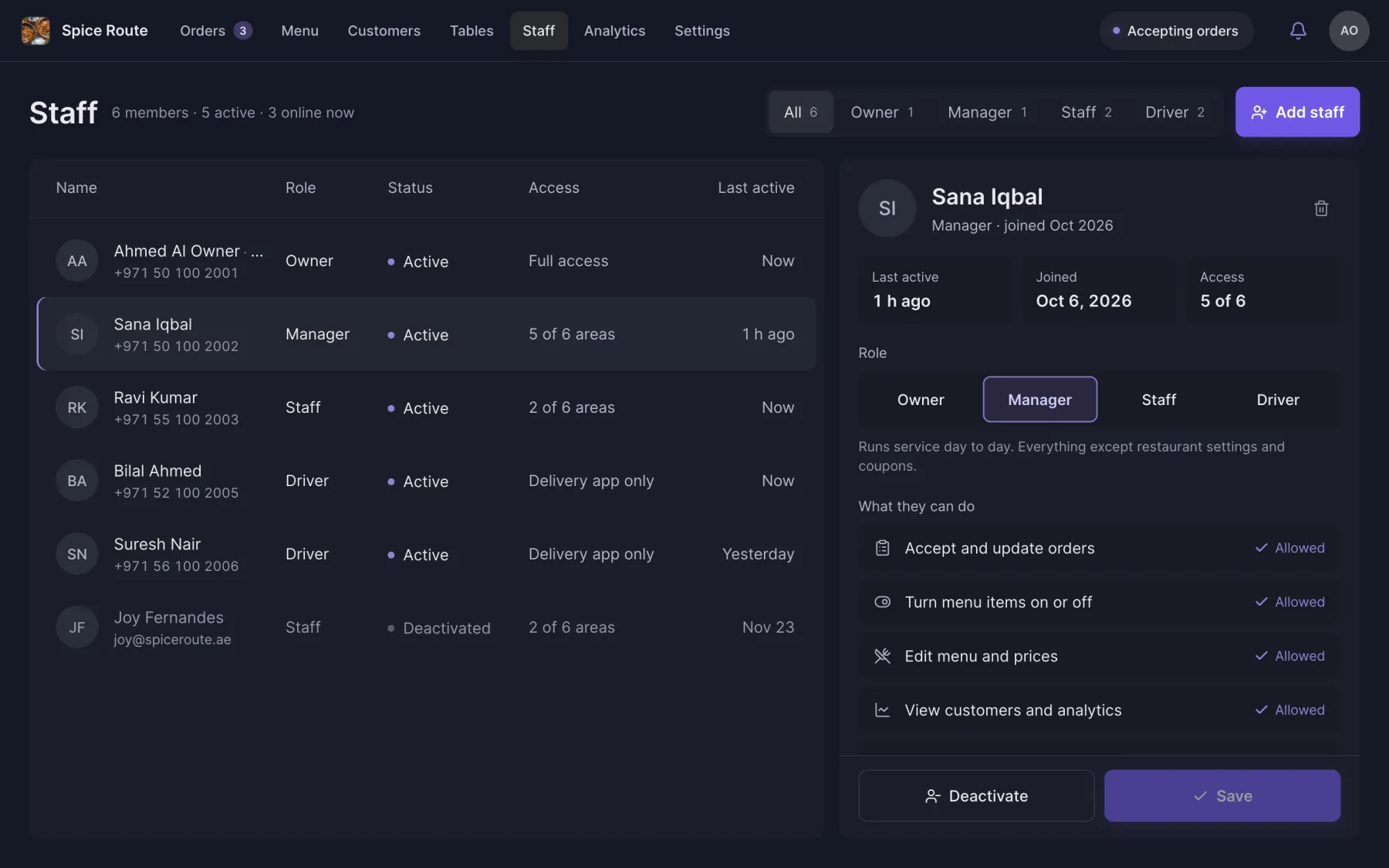
Every account has one role. The role decides what the person can see and do. You can't give someone individual permissions; to change what someone can do, change their role.
| Role | Best for | In short |
|---|---|---|
| Owner | The restaurant owner | Runs the restaurant. Can change everything, including settings and coupons. |
| Manager | Shift and floor managers | Runs service day to day. Everything except restaurant settings and coupons. |
| Staff | Cashiers, waiters, kitchen | Takes orders and switches menu items on or off. |
| Driver | Delivery drivers | Uses the rider app only, for orders on their way out. |
#What each role can do
| Owner | Manager | Staff | Driver | |
|---|---|---|---|---|
| Accept and update orders | ✓ | ✓ | ✓ | — |
| Turn menu items on or off | ✓ | ✓ | ✓ | — |
| Edit menu and prices | ✓ | ✓ | — | — |
| View customers and analytics | ✓ | ✓ | — | — |
| Manage staff | ✓ | ✓ | — | — |
| Restaurant settings and coupons | ✓ | — | — | — |
| Edit the items in an order | ✓ | — | — | — |
| Pause and restart orders | ✓ | — | — | — |
| Pick up and deliver orders in the rider app | — | — | — | ✓ |
Everyone except drivers can use Tables, and set up Printers and Language in Settings on their own device.
When you click someone on the Staff page, What they can do lists each area with Allowed or No access, so you can check before you save.
#Rules that keep your account safe
- A restaurant always needs at least one active owner.
- Only an owner can change, deactivate or delete another owner's account. Managers see owner accounts as read-only.
- You can't change your own role, deactivate yourself or delete your own account. Ask another owner.
#Choosing a role
- Give Owner only to people who should control money settings like VAT, delivery fees and coupons.
- Give Manager to anyone who edits the menu, sees sales or manages the team.
- Give Staff to everyone else who handles orders.
- Give Driver to anyone who delivers. See Add a driver.