
Last active and online now
See who is signed in right now and when each person last used Ramzi.
Who can do thisOwnerManager
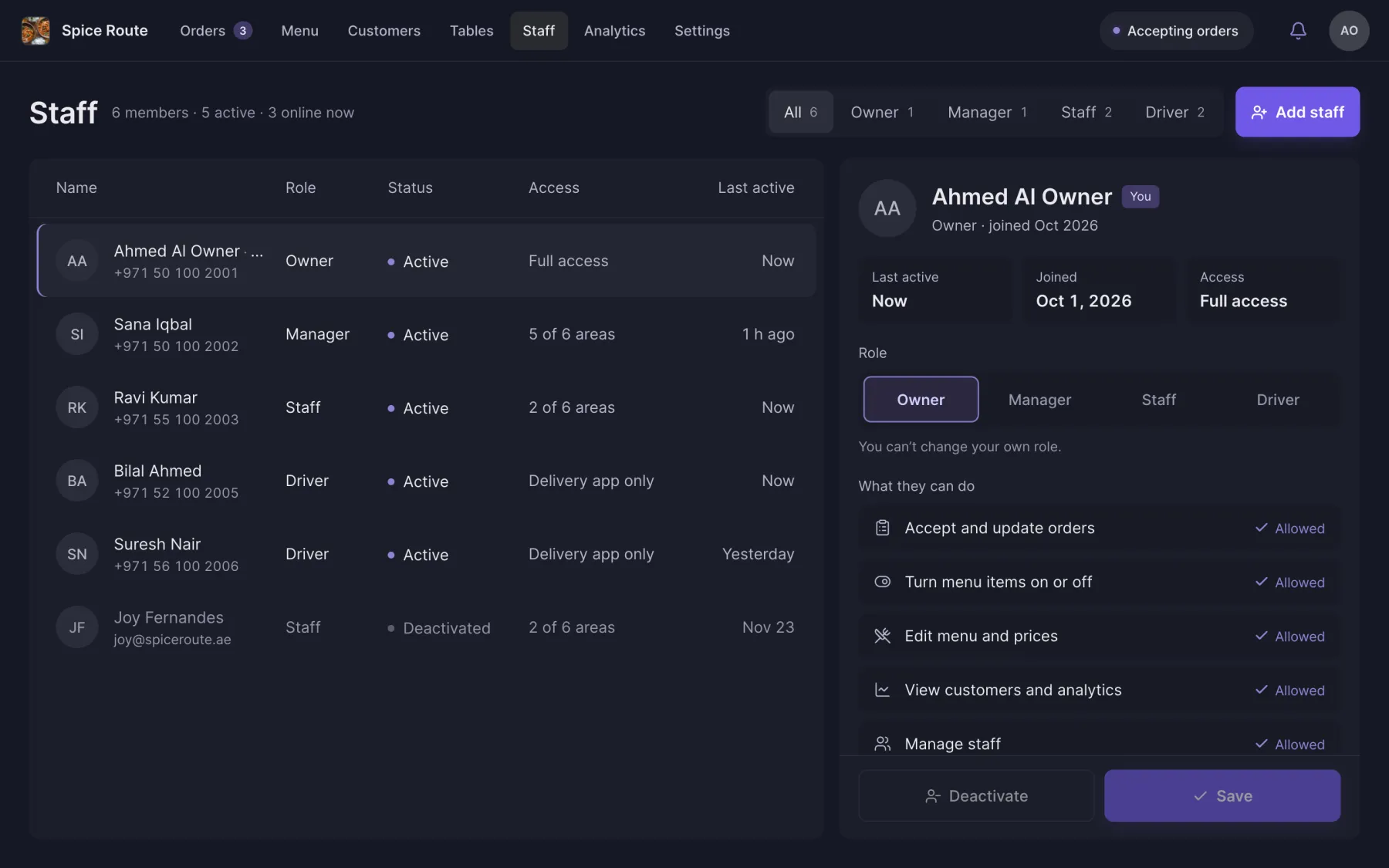
The Staff page shows how recently each person used the dashboard or the rider app.
#The header
The summary under Staff shows the number of members, how many are active (not deactivated), and how many are online now.
#The list
| Column | What it shows |
|---|---|
| Name | Name and phone (or email). You marks your own account. |
| Role | Owner, Manager, Staff or Driver. |
| Status | Active or Deactivated. |
| Access | Full access, Delivery app only, or how many of the six areas the role can use, for example 5 of 6 areas. |
| Last active | Now, [n] min ago, [n] h ago, Yesterday, a date, or Never if they haven't signed in yet. |
#What "Now" means
An open dashboard or rider app checks in every couple of minutes. Anyone who checked in within the last few minutes shows as Now and counts as online now. When someone closes the app, they move to [n] min ago shortly after.
Click a person to see Last active, Joined and Access at the top of their details.
Tip
Use this to check that the counter tablet is signed in and online before service, and to spot accounts nobody has used for months. Deactivate those.