
Switch the dashboard to Arabic
Use the dashboard in Arabic or English. The choice is saved on each device, so every person can use the language they prefer.
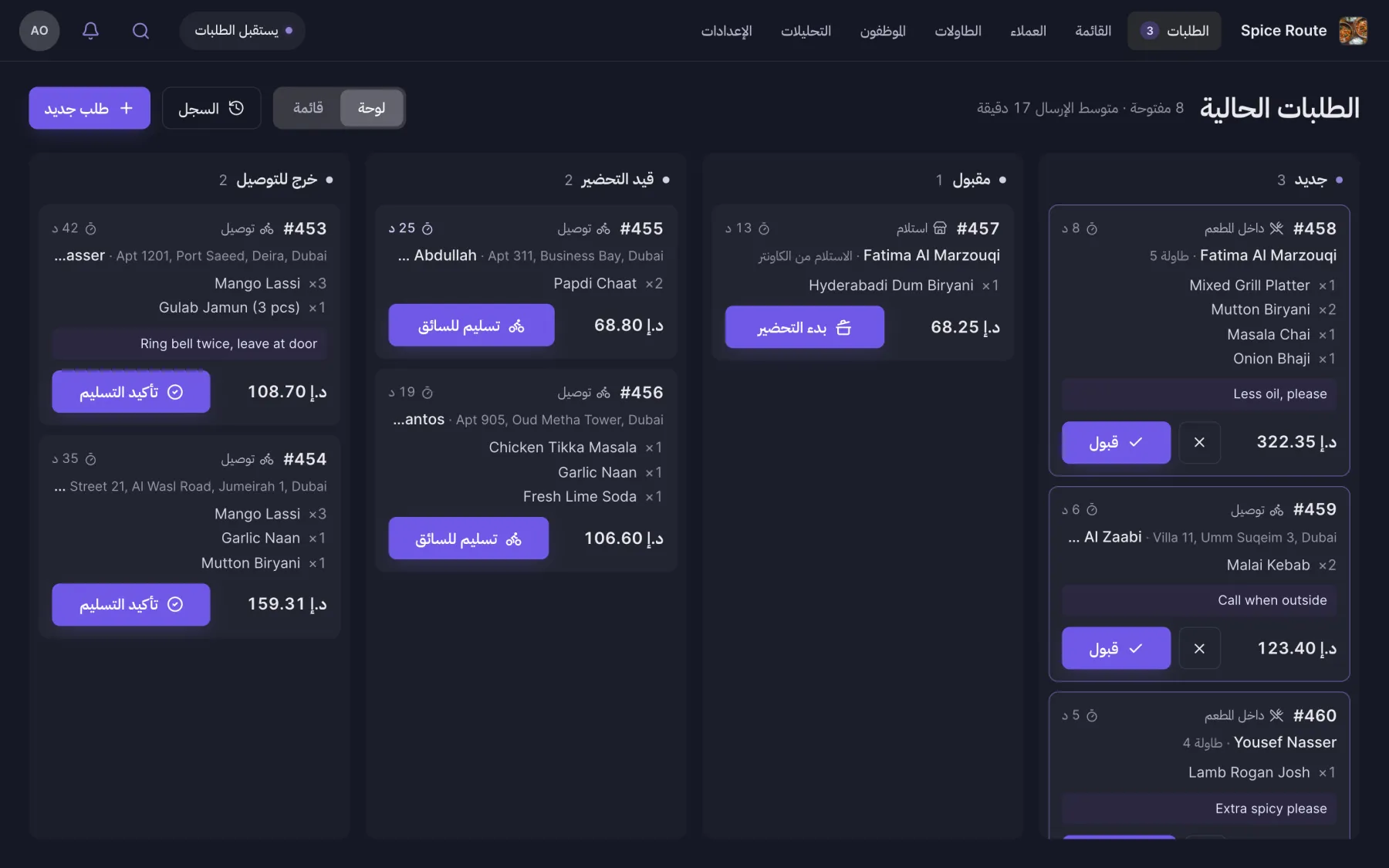
The whole dashboard is available in Arabic, with the layout flipped right to left. The language is saved on the device you change it on. It doesn't change what your customers see: they pick their own language on the storefront.
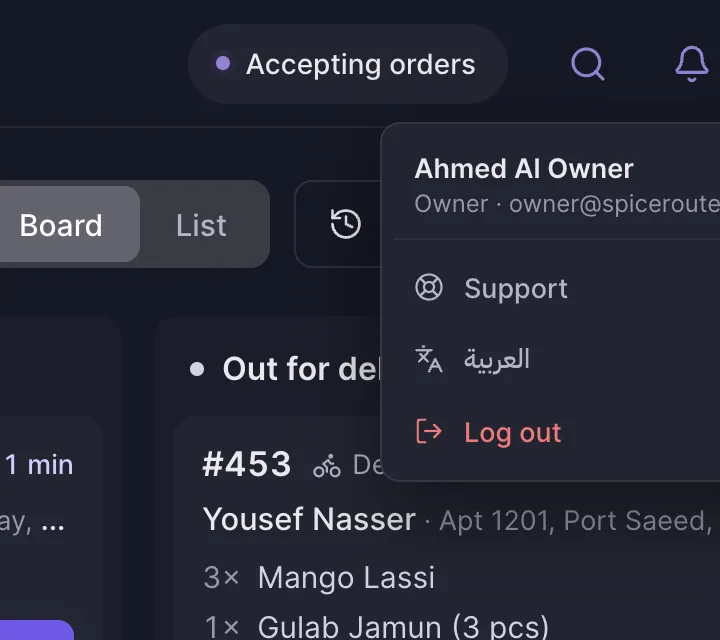
#From the account menu
- Click your initials in the top right corner.
- Click العربية. The dashboard reloads in Arabic.
- To switch back, open the same menu and click English.
#From Settings
Go to Settings → Language and choose English or العربية. Everyone can open this section, whatever their role.
#Things to know
- Numbers stay in Western digits (1, 2, 3), and prices show as د.إ.
- Printouts stay in English. Kitchen tickets, bills and bag labels always print in English, so every printer and every member of the kitchen team can read them.
- The sign-in page also has an العربية link at the bottom, so you can switch before signing in.
- Menu items show both names. Each item has an English and an Arabic name. The dashboard shows the one that matches your language. Customers see the name in the language they choose on the storefront.