
What Ramzi is
Ramzi gives your restaurant its own ordering page, a dashboard to run orders, and an app for your drivers. Here is how the three parts fit together.
Ramzi is made of three parts. Each one is used by different people, and they all share the same orders, menu and settings.
| Part | Who uses it | What it is for |
|---|---|---|
| Storefront | Your customers | Your own online menu and ordering page, with your name, logo and photos. Customers order delivery, pickup or dine-in, and you pay no commission per order. |
| Dashboard | You and your team | Where orders arrive and where you run the restaurant: accept and prepare orders, edit the menu, manage staff and tables, see your numbers and change settings. |
| Rider app | Your drivers | A simple phone app that shows drivers which orders are ready to pick up and where to take them. |
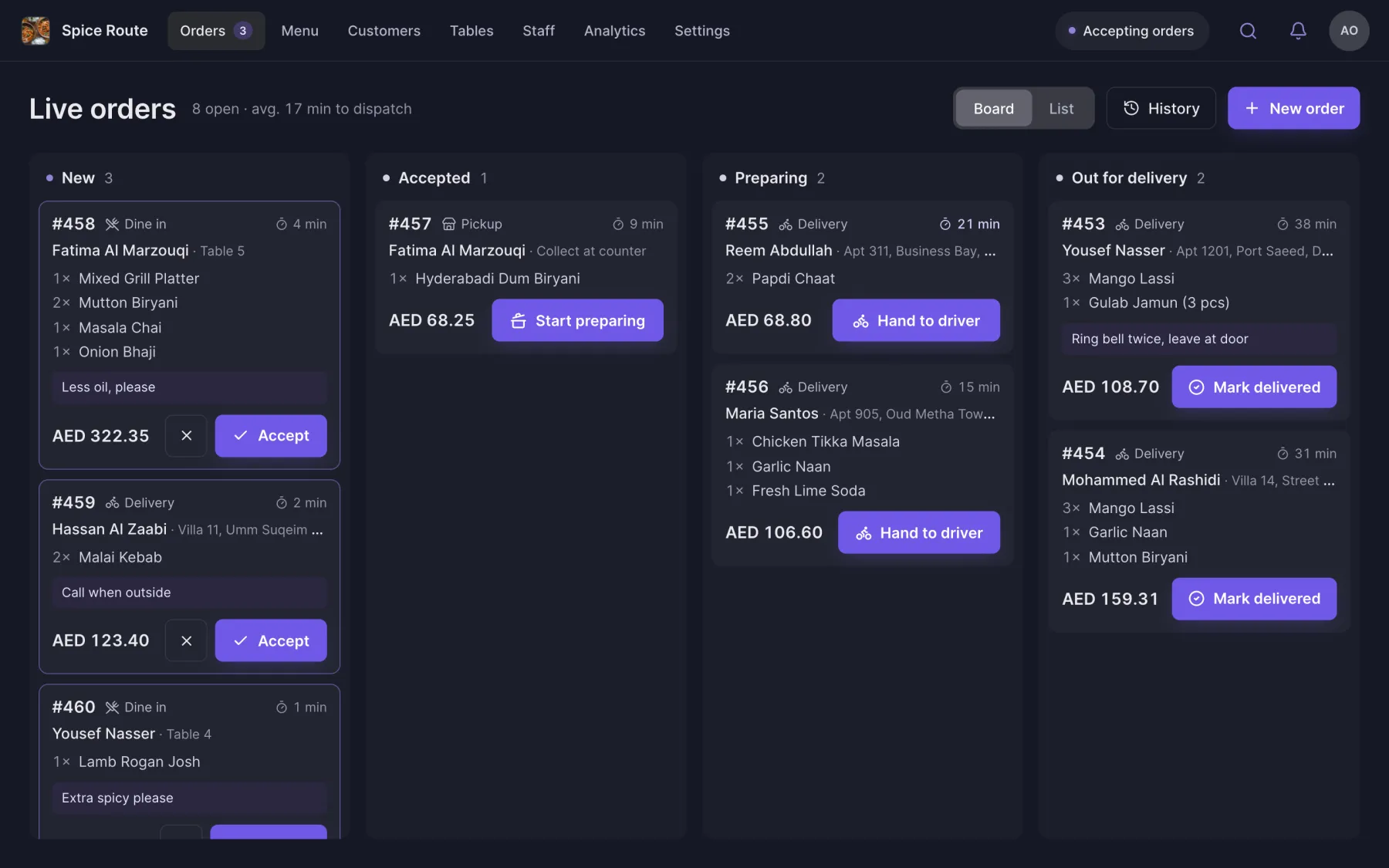
#How an order travels
- A customer orders on your storefront. They pick delivery, pickup or dine-in, add items and place the order. They pay in cash when they get it.
- The order appears on your dashboard in the New column, with a sound alert.
- Your team accepts it and starts preparing. If you have a printer, a kitchen ticket can print at this point.
- The order goes out. A driver picks up a delivery order in the rider app, a pickup order waits at the counter, or a dine-in order is served at the table.
- The order is marked delivered or completed and moves to History. It now counts in your Analytics, and the customer appears on your Customers page.
The customer can follow every step live on a tracking page. See How customers order.
#What you can do in the dashboard
The top bar of the dashboard has one link for each area:
- Orders: live orders and order history.
- Menu: categories, items, prices, photos and sold-out items.
- Customers: everyone who has ordered, with their order history.
- Tables: your floor plan, table QR codes and reservations.
- Staff: team accounts and what each person can access.
- Analytics: sales, busy hours and best sellers.
- Settings: restaurant details, hours, delivery, VAT, coupons, printers and language.
Tip
New to Ramzi? Follow the first-day checklist. It takes you from an empty account to your first test order.