
Coupons
Create discount codes customers type at checkout, as a percentage or a fixed amount, with a minimum order, usage limit and expiry date.
Who can do thisOwner
A coupon is a code, like WELCOME10, that customers type in the Coupon Code box at checkout to get a discount.
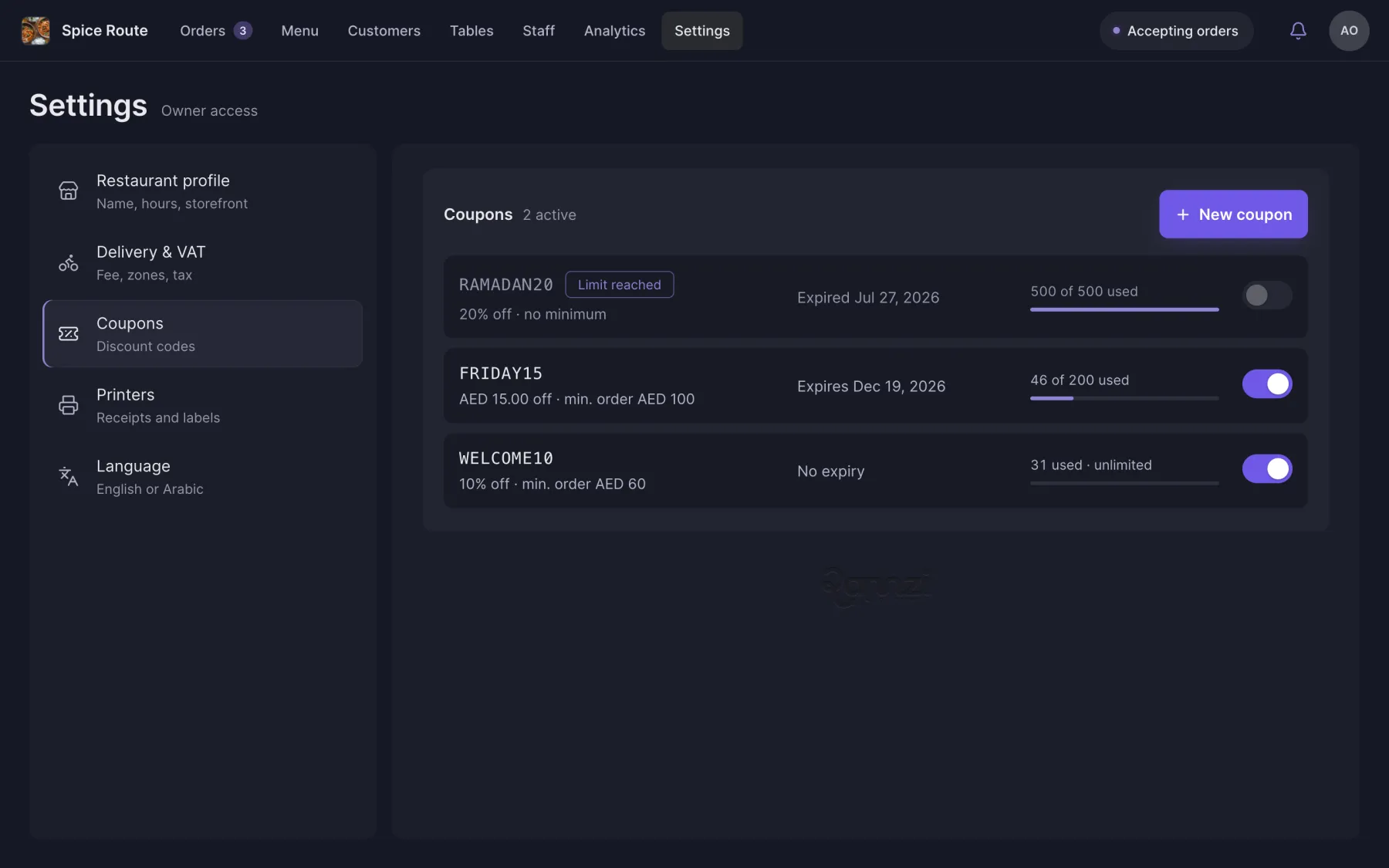
#Create a coupon
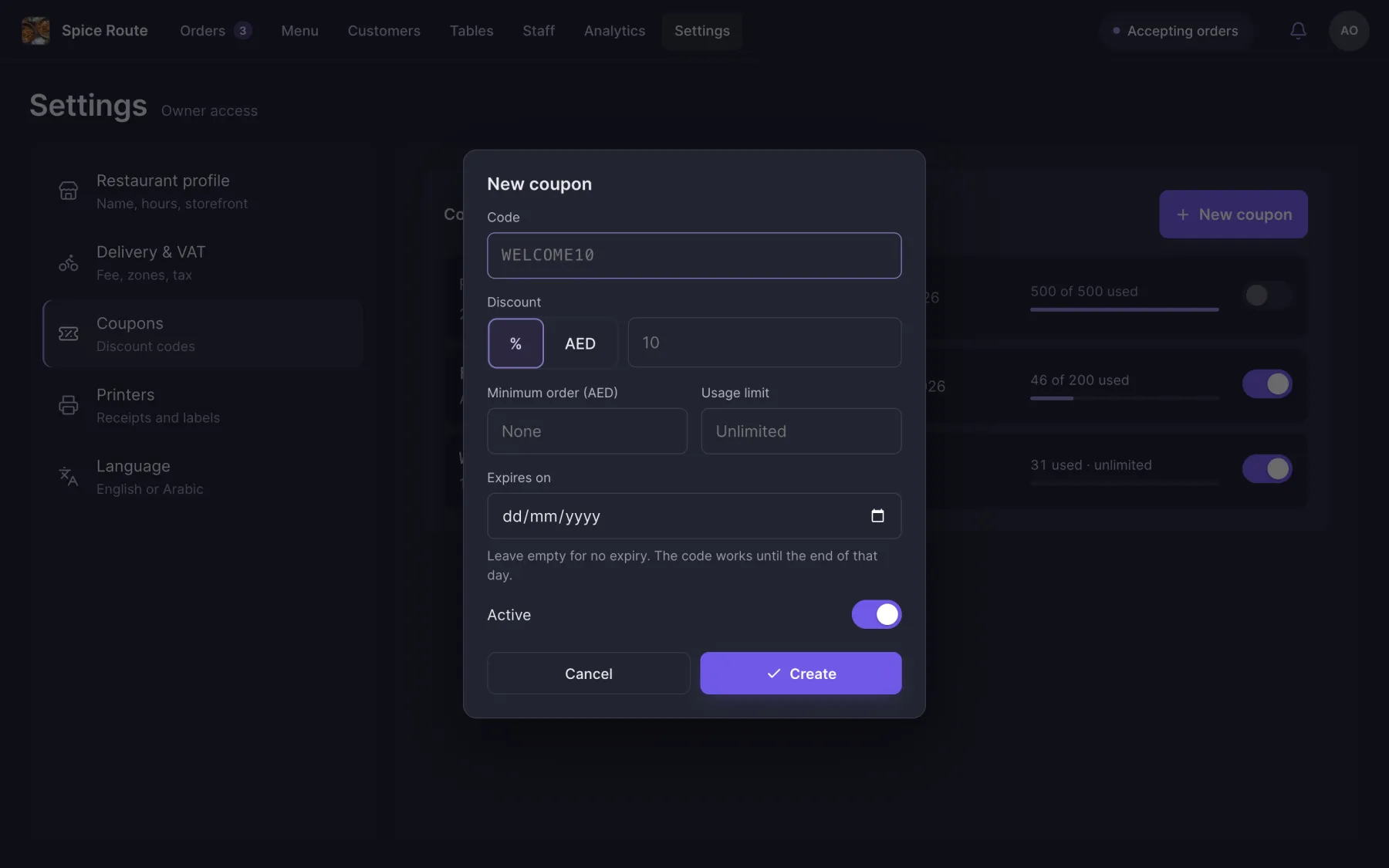
- Go to Settings → Coupons and click New coupon.
- Enter the Code customers will type, for example WELCOME10. Codes are saved in capitals, and customers can type them in any case.
- Under Discount, choose % (percentage) or AED (fixed amount), and enter the value, for example 10.
- Optionally, set a Minimum order (AED): the subtotal needed to use the code. Leave it empty for no minimum.
- Optionally, set a Usage limit: how many times the code can be used in total. Leave it empty for unlimited.
- Optionally, pick an Expires on date. The code works until the end of that day. Leave it empty for no expiry.
- Leave Active on.
- Click Create.
#Coupon fields
| Field | Rules |
|---|---|
| Code | Must be different from your other codes. |
| Discount | More than 0. A percentage can't be more than 100%. A fixed discount can't be more than the order's subtotal. |
| Minimum order | Compared with the subtotal, before VAT and delivery. |
| Usage limit | Counts every order that used the code. When it is reached, the coupon shows Limit reached. |
| Expires on | After this day, the coupon shows Expired. |
| Active | Off pauses the code without deleting it. |
#Read the coupon list
Each row shows the code, the discount and minimum (for example 10% off · min. order AED 60), the expiry, how many times it has been used (46 of 200 used, or 31 used · unlimited), and its Active switch. The header shows how many coupons are active.
#Pause, edit or delete a coupon
- Pause: click its switch. Customers who type it are told it is invalid. Click again to turn it back on.
- Edit: click the coupon, change the fields, and save.
- Delete: click the coupon, click the red bin, then Delete coupon.
#What customers see
At checkout, customers type the code and tap Apply. A valid code shows Coupon applied! and a Discount line in the total. An invalid, paused or expired code shows Invalid or expired coupon code. If their order is too small, they're told the minimum.
The discount and code also appear on the order on your dashboard, for example Discount (WELCOME10).
Ideas: WELCOME10 for first orders, a weekday-afternoon code for quiet hours, or a code for your Instagram followers so you can see how many orders it brings.