
Categories
Group your menu into sections like Starters, Mains and Drinks. Add, rename, hide, reorder and delete categories.
Who can do thisOwnerManager
Categories are the sections of your menu. Customers see them as tabs on your storefront, in the same order as on the Menu screen. Every item belongs to one category, so add your categories first.
#Add a category
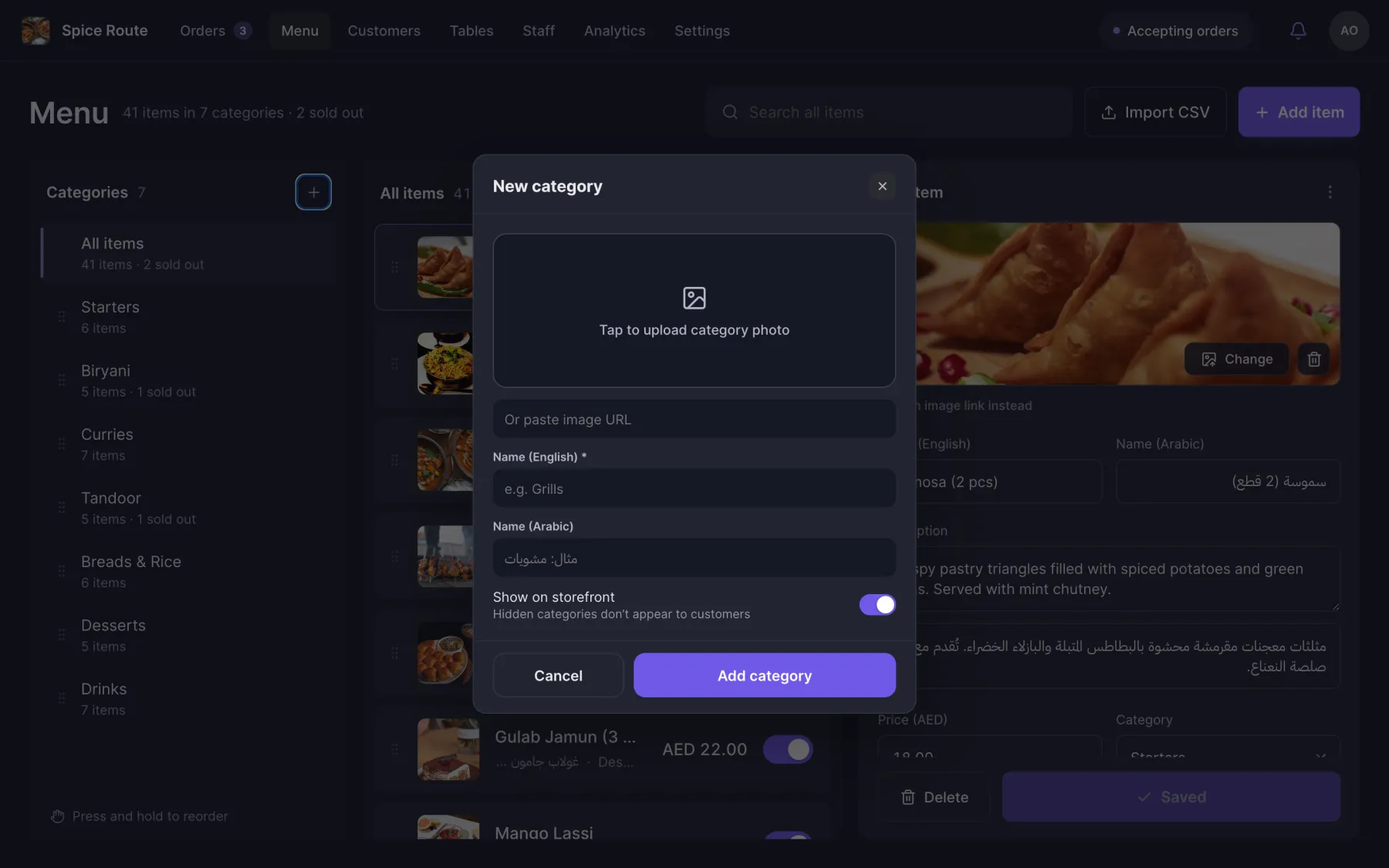
- On the Menu screen, click + next to Categories.
- Optionally, click Tap to upload category photo to add a photo, or paste an image link into Or paste image URL.
- Enter the Name (English), for example Grills. This is required.
- Enter the Name (Arabic), for example مشويات.
- Leave Show on storefront on, unless you want to prepare the category before customers see it.
- Click Add category.
#Edit a category
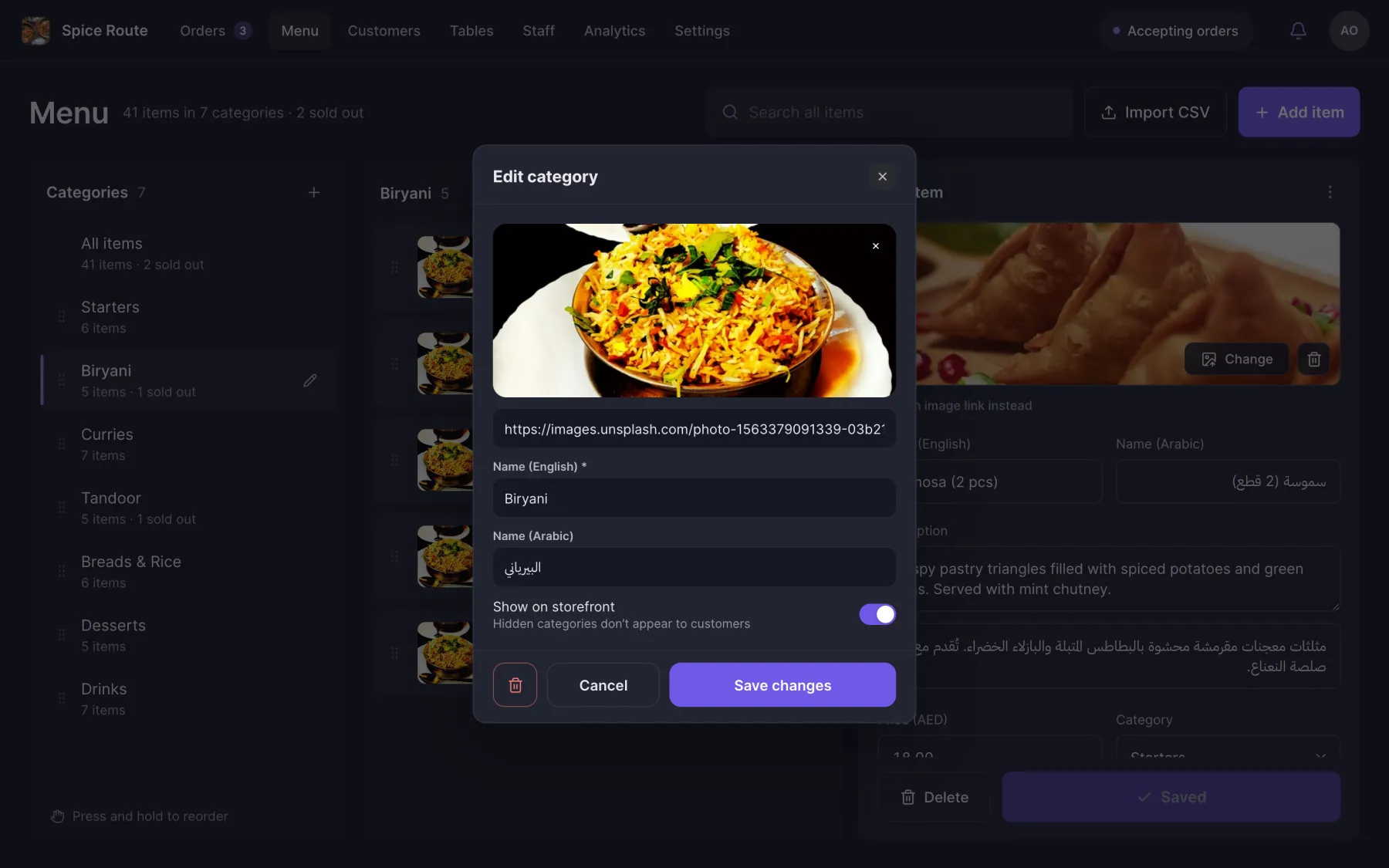
- Click the category, then click the pencil that appears on its row.
- Change the photo, names or Show on storefront.
- Click Save changes.
#Hide a category
Turn off Show on storefront to hide a category from customers without deleting it. Use this for a seasonal section like Ramadan Specials, or for a category you are still building. Hidden categories show a Hidden tag on the Menu screen.
#Reorder categories
Press and hold a category for a moment, then drag it to a new position. On a computer you can also drag it with the mouse. The storefront updates straight away.
#Delete a category
- Open the category with the pencil.
- Click the red bin button at the bottom left.
- Read the warning and confirm.
Deleting a category also deletes every item in it, and this can't be undone. To keep the items, move them to another category first (open each item and change its Category), or hide the category instead.
#Category fields
| Field | Required | What it is for |
|---|---|---|
| Photo | No | Shown on your storefront next to the category. |
| Name (English) | Yes | Shown to customers using English. |
| Name (Arabic) | No | Shown to customers using Arabic. Add it so Arabic speakers see a fully Arabic menu. |
| Show on storefront | — | Off hides the category and its items from customers. |