
Mark items sold out
Take an item off sale when it runs out, and put it back with one tap. Staff can do this too.
Who can do thisOwnerManagerStaff
When an item runs out, mark it sold out instead of deleting it. Customers still see it on your storefront, but can't order it, and you can bring it back in one tap.
#Mark an item sold out
- Go to Menu.
- Find the item. Use the search box if your menu is long.
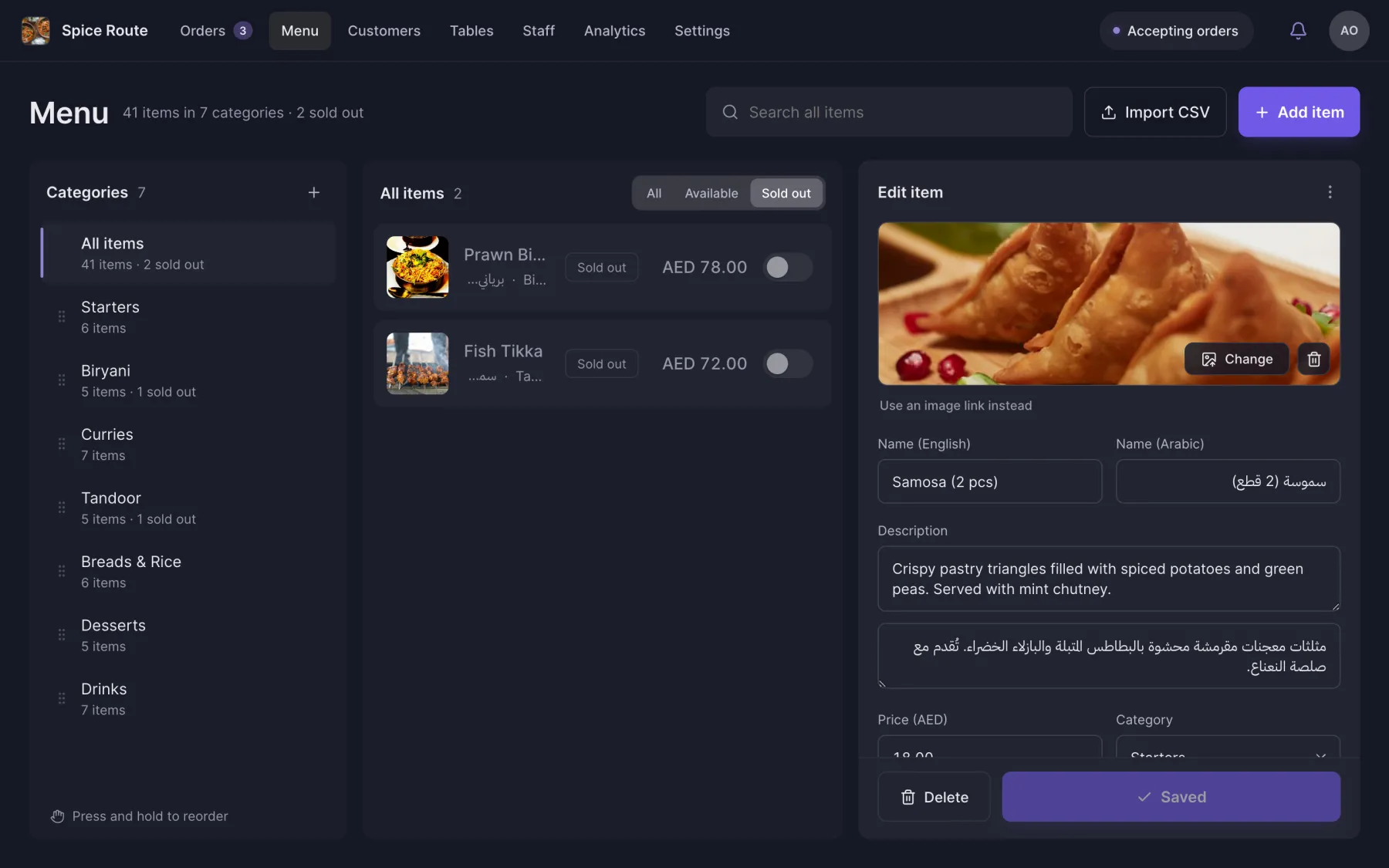
- Click the switch on the right of its row. It turns grey, and the item is sold out straight away.
To put it back on sale, click the switch again. It turns purple.
#See everything that is sold out
At the top of the items list, click Sold out. Only sold-out items show. Click All to see everything again.
The header also tells you how many items are sold out, for example 41 items in 7 categories · 2 sold out, and each category shows its own count.
At the end of the day, open the Sold out filter and switch back on everything that will be available tomorrow.
#Who can do this
Owners, managers and staff can switch items on and off. It is the only menu change staff can make. See Who can edit the menu.