
Place an order for a customer
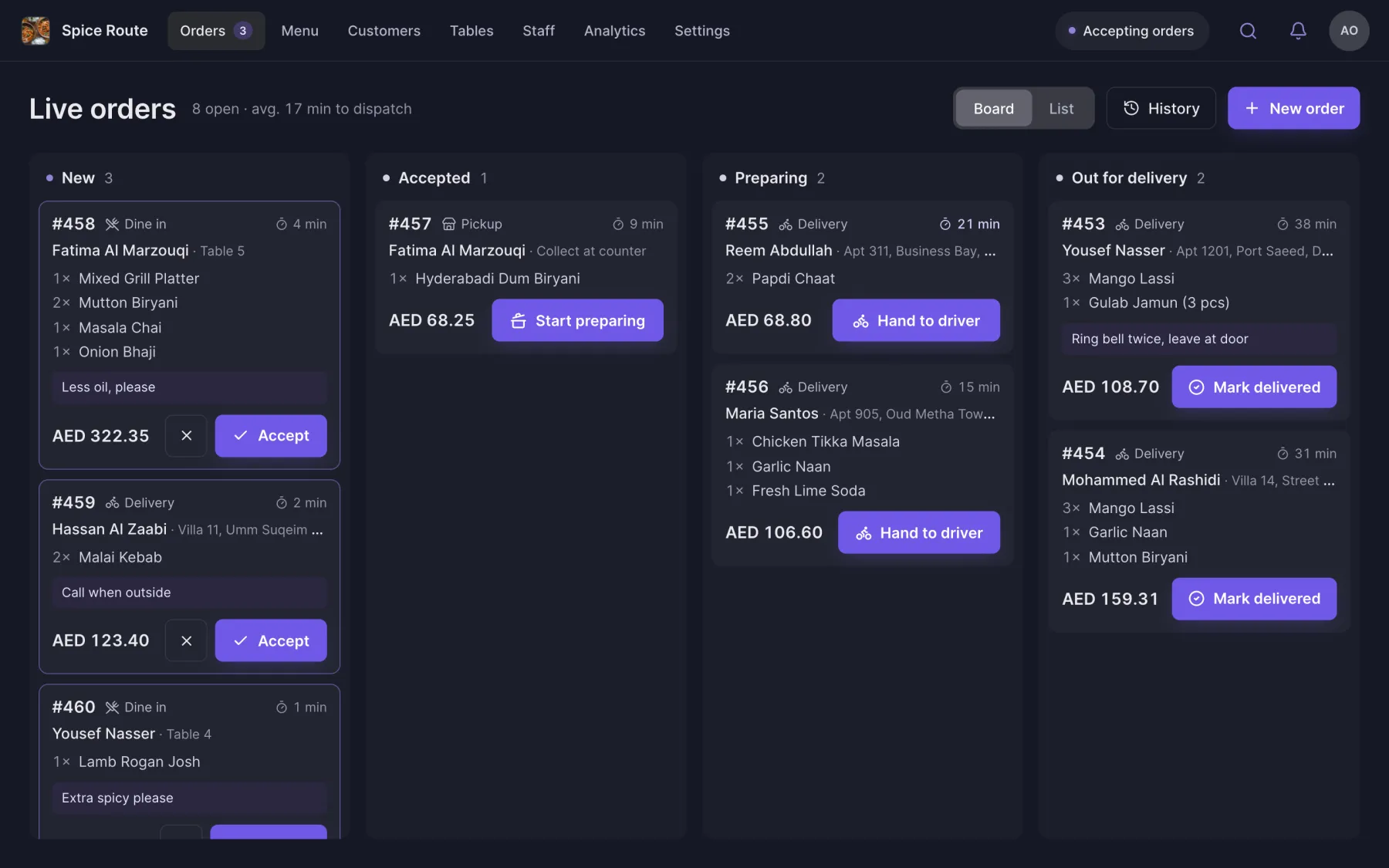
Take an order by phone or at the counter by placing it on your own storefront. It then arrives on the board like any other order.
Who can do thisOwnerManagerStaff
When a customer calls or walks in, place the order on your storefront for them. It reaches the board like any other order, the customer is saved in your Customers list, and it counts in your Analytics.
#From the Orders screen
- On the Orders screen, click New order (top right). Your storefront opens in a new tab.
- Choose Delivery, Pickup or Dine In.
- Add the items the customer wants, with any size and extras.
- Open the cart and fill in the customer's name and phone number. For delivery, check their address with Check Delivery. For dine-in, enter the table number.
- Click Place Order. Switch back to the dashboard tab: the order is in the New column.
- Click Accept and carry on as usual.
#For a customer who has ordered before
If the customer is already in your Customers list, start from their profile. Their details are copied for you.
- Go to Customers and click the customer.
- Click New order for [name] at the bottom of their profile.
- Your storefront opens in a new tab, and the customer's name, phone and address are copied to your clipboard.
- At checkout, paste the details into the form, then place the order.
See Start an order for a saved customer.
Tip
Use the order note for anything the customer tells you on the phone, such as "call on arrival" or "no onions". It prints on the kitchen ticket.