
Opening hours
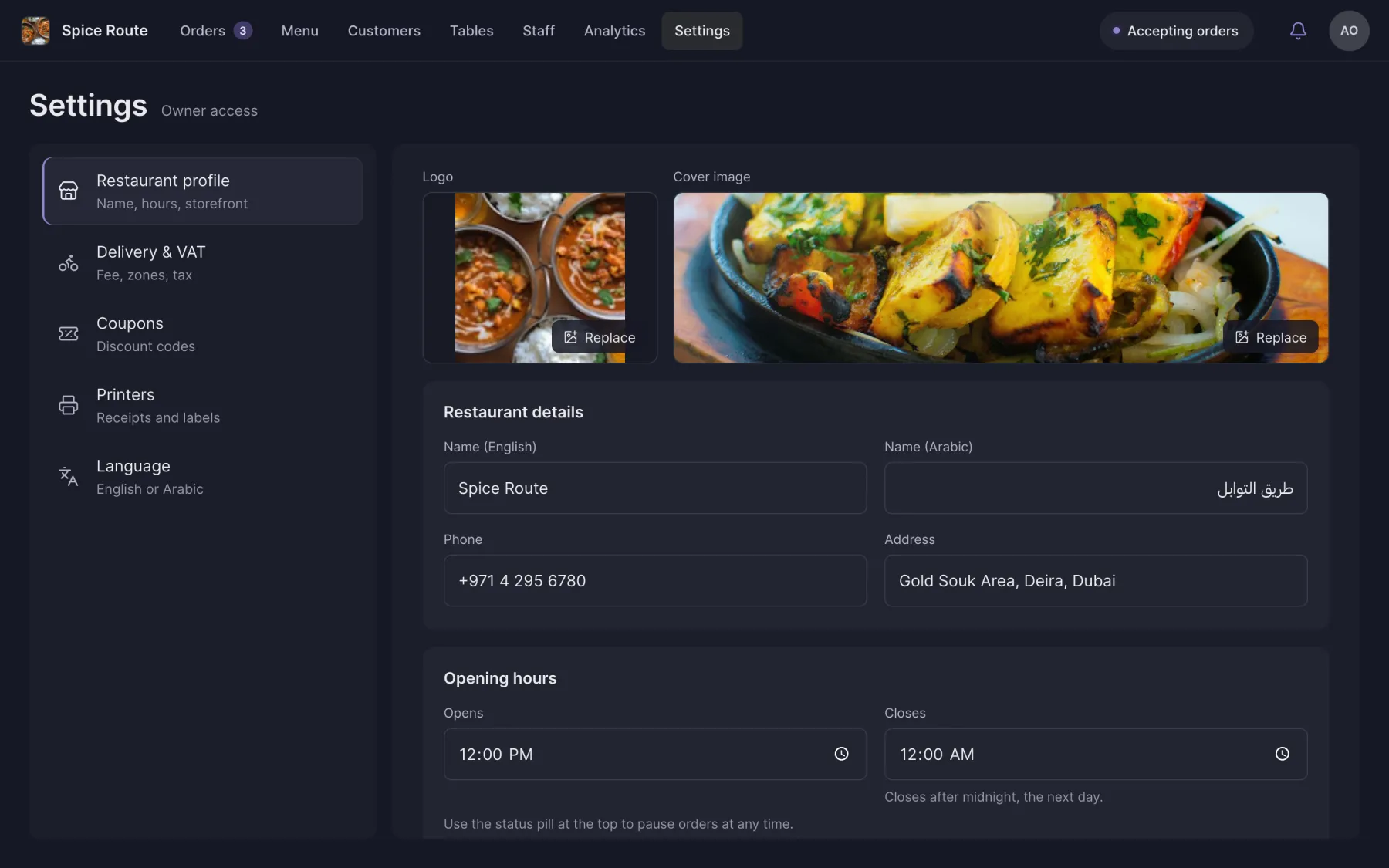
Set when customers can place orders. Your storefront closes automatically outside these hours, including hours that run past midnight.
Who can do thisOwner
Customers can only place orders between your opening and closing times. Outside your hours, they can still browse your menu and fill their cart, but they can't order.
#Set your hours
- Go to Settings → Restaurant profile.
- Scroll to Opening hours.
- Set Opens, for example 12:00 PM.
- Set Closes, for example 12:00 AM.
- Click Save changes in the bar at the bottom.
#Hours past midnight
If you close after midnight, set Closes to the time you actually close, for example 2:00 AM. When the closing time is earlier than the opening time, Ramzi understands that you close the next day, and shows Closes after midnight, the next day under the field.
To stay open 24 hours, set Opens and Closes to the same time.
#What customers see
- Your storefront shows your hours, for example Open 12:00 – 00:00, with an Open Now or Closed badge.
- If someone tries to order outside your hours, the order is refused with your opening hours, for example We're closed right now. Opening hours: 12:00–00:00.
Hours follow UAE time.
#Opening hours and pausing
Your hours apply every day automatically. To stop orders right now, for example on a very busy night, use the Accepting orders pill at the top of the dashboard instead. See Pause orders.
You set one opening and closing time for every day of the week. If you close on a certain day, pause orders that day.