
Your storefront link
Your storefront is your own ordering page. Find its link, open it, and see what customers see.
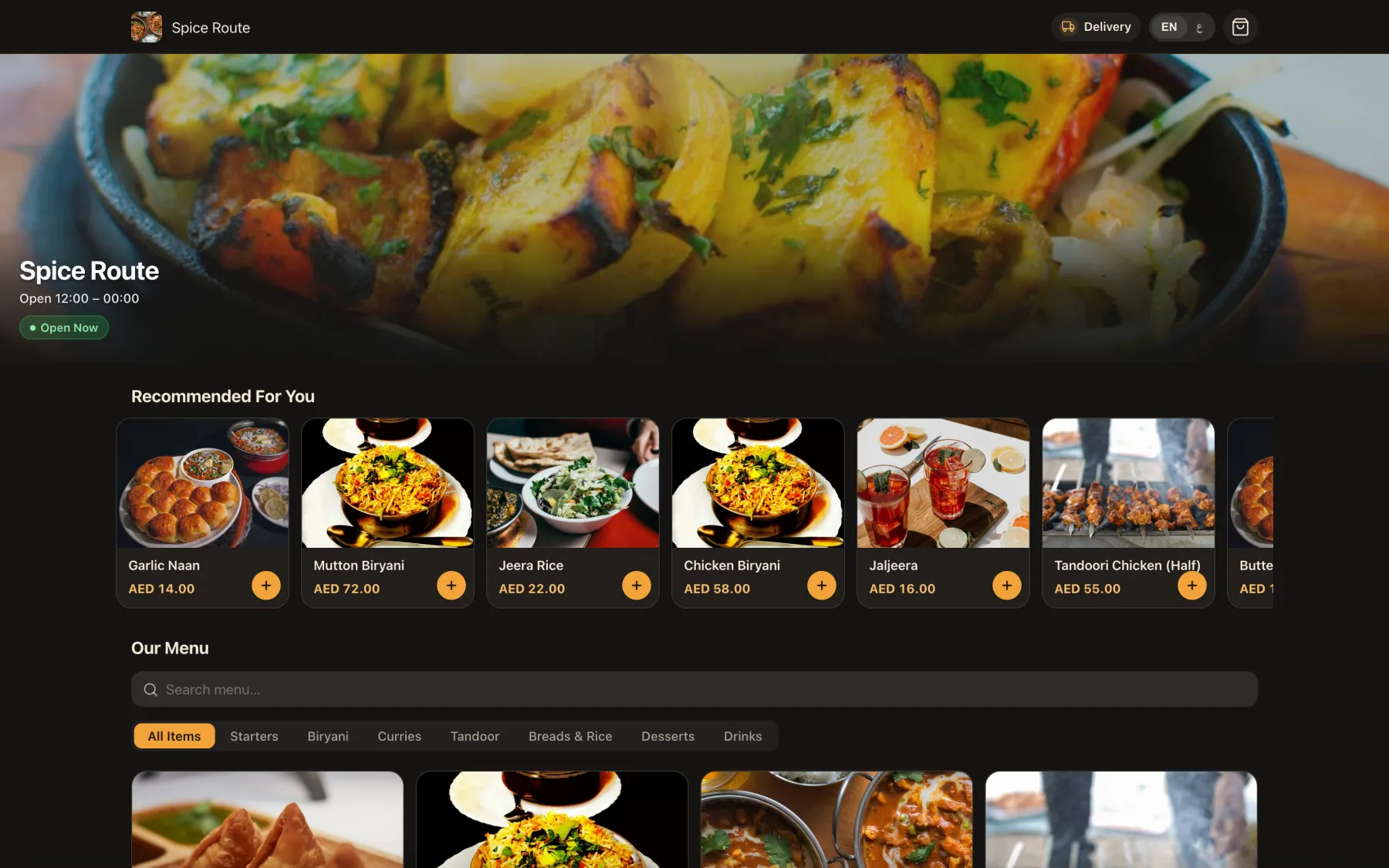
Your storefront is the page customers use to browse your menu and order. It carries your name, logo, cover photo and menu, and you keep the full value of every order. There is no commission.
#Find your link
Your storefront link looks like this:
ramzi.ae/menu-yourname/
To open it from the dashboard:
- Settings → Restaurant profile → Open your storefront, under the template choices. Owner only.
- Orders → New order opens it in a new tab. Everyone who can see orders can use this.
Copy the link from your browser's address bar to share it. See Share your link.
#What customers see
| Part | Where it comes from |
|---|---|
| Name, logo and cover photo | Settings → Restaurant profile. See Logo and cover image. |
| Open 12:00 – 00:00 and the Open Now badge | Your opening hours and the Accepting orders switch. See Opening hours. |
| Colours and style | Your template. See Choose a template. |
| Recommended For You | A row of items from your menu. Returning customers also see what they ordered recently. |
| Our Menu with category tabs and search | Your categories and items, in the order you set on the Menu screen. |
| English / Arabic switch (EN ع) | Customers switch language themselves. Add Arabic names and descriptions so the Arabic menu is complete. |
#It works like an app
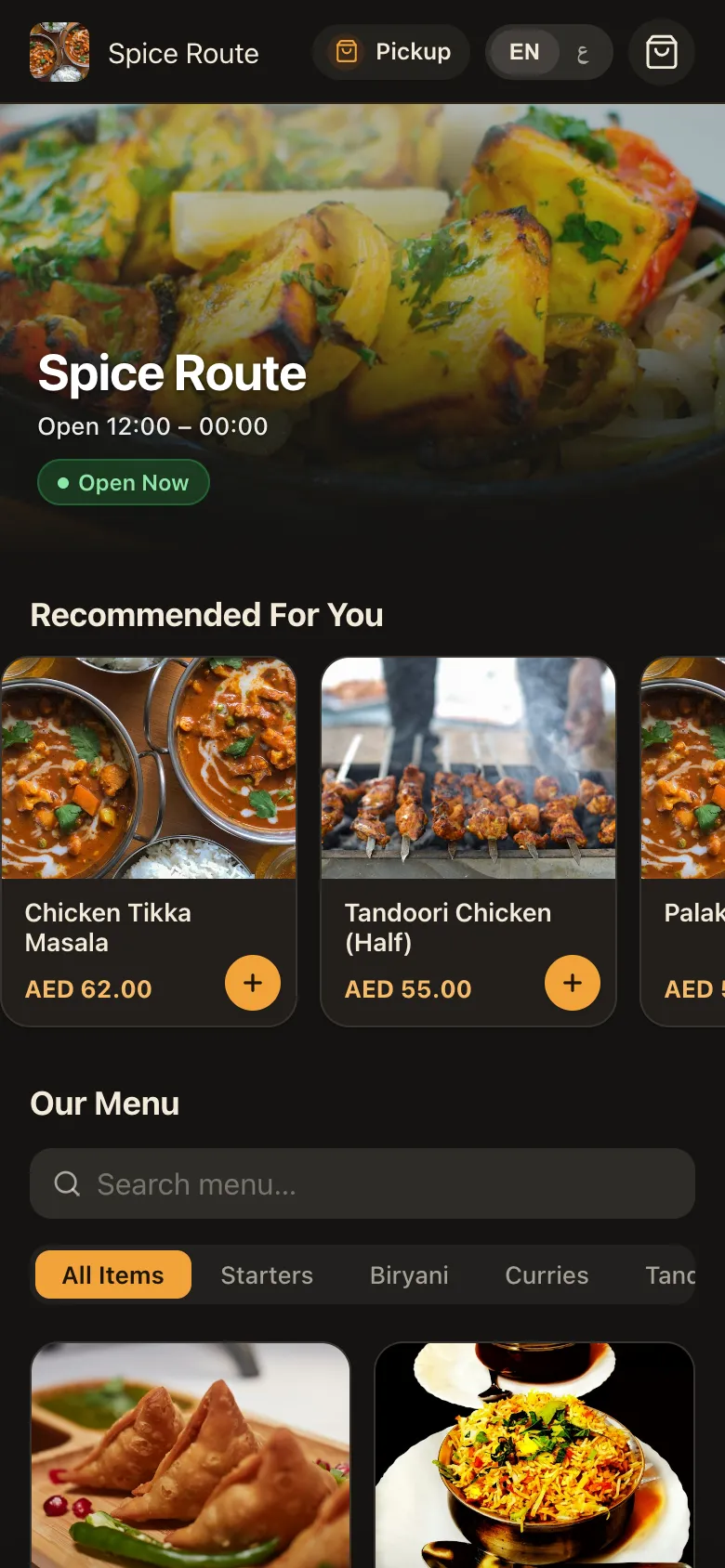
Customers can add your storefront to their phone's home screen, and it then opens like an app with your name. It also remembers their recent orders and their details for next time.
#Your storefront updates instantly
Anything you change in the dashboard, such as prices, photos, sold-out items or opening hours, shows on your storefront straight away. Customers who already have it open see the change when they reload.