
Customer bill
Print the customer's bill when an order goes out, by hand or automatically, and open the cash drawer.
Who can do thisOwnerManagerStaff
The customer bill shows your restaurant name, address and phone, the order number and time, each item with its price, and the subtotal, discount, delivery fee, VAT and total.
#Print when the order goes out
When you click Hand to driver, Ready for pickup or Serve to table, Ramzi shows the bill first:
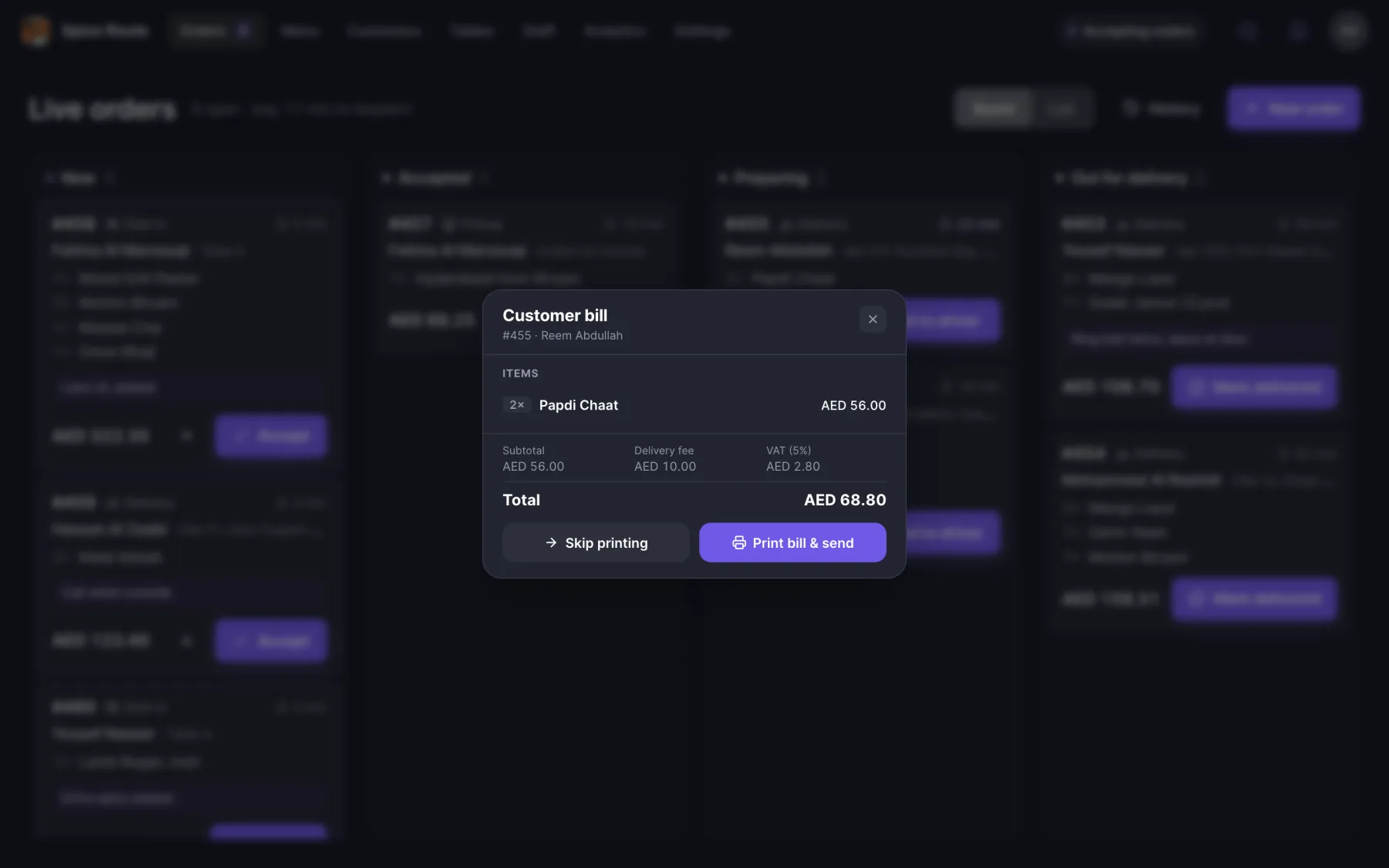
- Print bill & send prints the bill and moves the order on.
- Skip printing moves the order on without printing.
- ✕ closes the window and leaves the order where it was.
#Print automatically
- Go to Settings → Printers.
- Turn on Print bill on dispatch.
- Click Save changes.
Bills now print as soon as an order goes out. This needs a receipt printer set up on that device. See Connect a receipt printer.
#Open the cash drawer
If your cash drawer is plugged into the printer's drawer port, turn on Open cash drawer after a bill in Settings → Printers. The drawer opens each time a bill prints.
Put the bill in the delivery bag so the customer and driver can check the amount to pay.