
Delivery fee
Set the fee added to every delivery order, or make delivery free.
Who can do thisOwner
The delivery fee is a fixed amount added to every delivery order. Pickup and dine-in orders never have a delivery fee.
#Set your delivery fee
- Go to Settings → Delivery & VAT.
- Under Delivery, enter the Delivery fee (AED), for example 10. Enter 0 for free delivery.
- Click Save changes in the bar at the bottom of the page.
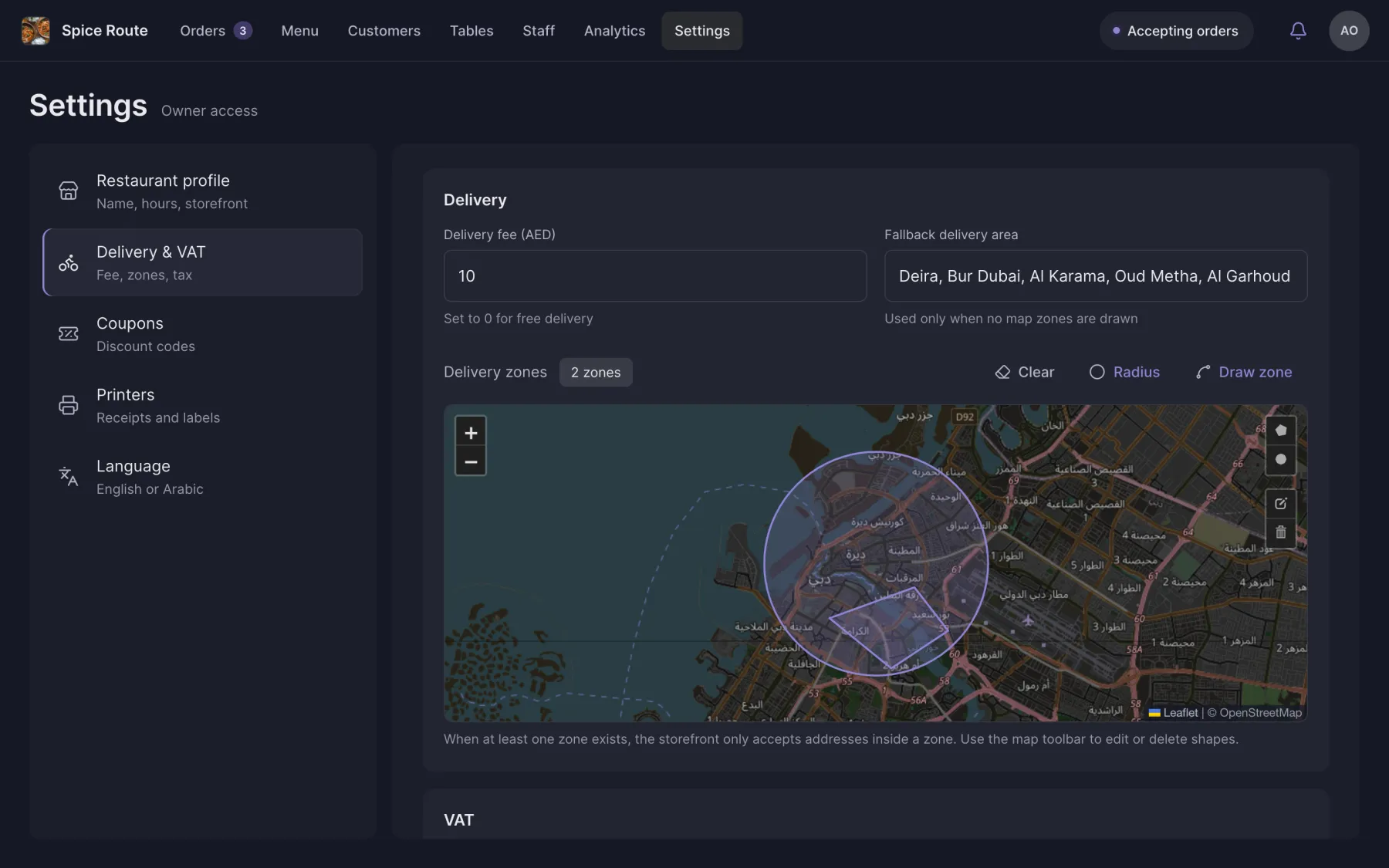
New orders use the new fee straight away. Orders already placed keep the fee they were placed with.
#How the fee appears
- On your storefront: customers see the Delivery Fee line in the cart summary before they order.
- On the order: the open order and the customer bill both show the Delivery fee line.
- On the rider app: drivers see the total including delivery, for example Cash on delivery · collect · incl. AED 10.00 delivery.
#VAT and the delivery fee
VAT is worked out on the food (the subtotal after any discount), and the delivery fee is added on top. See VAT.
Tip
Want free delivery only for bigger orders? Create a fixed-amount coupon with a minimum order, for example FREEDELIVERY worth AED 10 on orders over AED 80. See Coupons.